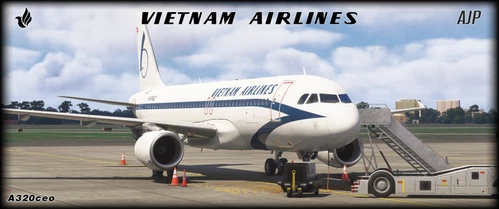
This add-on features the retro livery of Vietnam Airlines for the Fenix A320, reflecting the mid-1990s period when the airline operated the aircraft on domestic and regional routes after leasing it from Air France. The add-on showcases the unique history of F-GFKZ, one of the first Airbus A320s, which played a role in enhancing connectivity in Southeast Asia before its retirement in 2012. Note that it utilizes the default cabin of the Fenix A320 without any custom modifications.
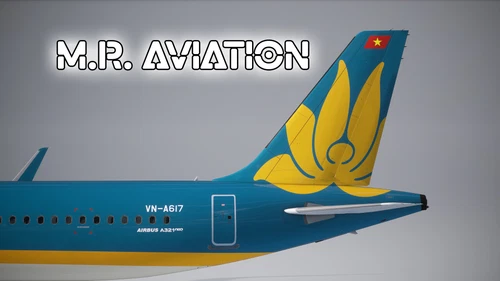
FlightSimLabs | Airbus A321NX PW | Vietnam Airlines | VN-A617
This add-on presents the FlightSimLabs Airbus A321neo model featuring the livery of Vietnam Airlines with registration VN-A617. It includes detailed installation instructions for seamless integration into Microsoft Flight Simulator, catering to users who wish to enhance their virtual flying experience with this specific aircraft variant.
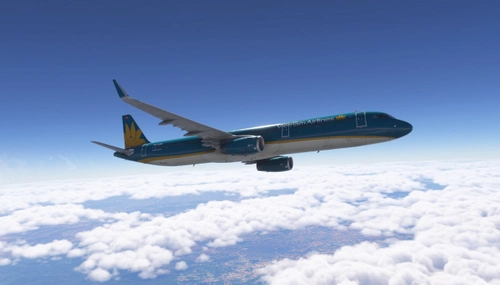
This add-on features a detailed livery modification for the Airbus A321, showcasing Vietnam Airlines VN-A609. It includes enhancements such as fuselage and tail textures, accurately reflecting the airlines branding based on reference images. Each modification has been carefully adjusted, including color corrections and registration markings, ensuring an authentic representation. The livery is configured for a two-class layout and has been tested with Microsoft Flight Simulator 2024.
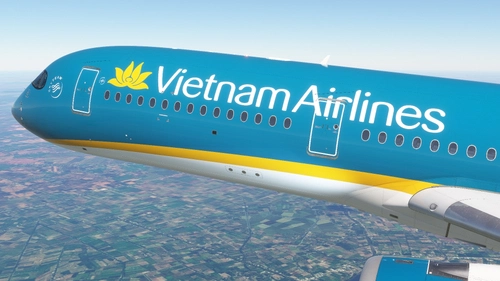
This add-on features a high-quality 4K texture for the Vietnam Airlines A350-900, specifically the VN-A894 aircraft. The passenger cabin is currently under construction, adding to the immersive experience. Installation is straightforward with a simple drag-and-drop into the MSFS community folder.
This add-on features the Vietnam Airlines livery for the PMDG 777-200ER, specifically the aircraft VN-A142 from the years 2002-2015. The package includes high-resolution 4K textures and is designed for those seeking realism in their flight simulation. Note that it does not include a custom cabin option. Installation instructions and additional resources are provided within the downloaded file.
This add-on features a highly detailed 8K livery for the Vietnam Airlines Boeing 777-200ER, registration VN-A141. It includes necessary setup instructions for proper installation within the Microsoft Flight Simulator environment. Users are advised to recreate the layout document using "msfsJSONgen.exe" and follow the specified folder structure for optimal performance.
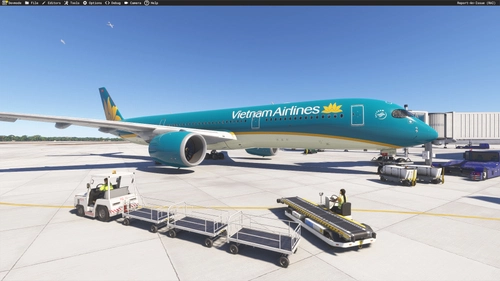
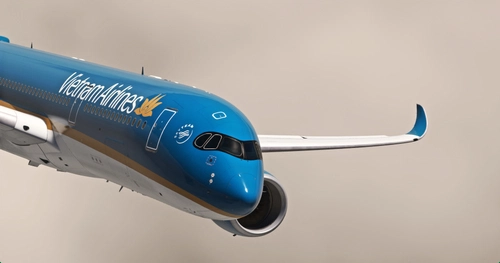
This add-on features a detailed livery for the iniBuilds A350-900, showcasing Vietnam Airlines VN-A891 in its contemporary smart blue, gold, and cream design. The package includes versions compatible with both MSFS2020 and MSFS2024, allowing users to enhance their simulator experience with authentic visuals. The liveries are designed to work with the latest iniBuilds version 1.0.4.
The iniBuilds A350-900 add-on features the Vietnam Airlines VN-A897 livery for Microsoft Flight Simulator 2020. It offers an accurate representation of the aircraft, complete with custom stencils and intricate details. The installation process is straightforward, requiring only a drag-and-drop into the community folder.
This add-on features the Vietnam Airlines VN-A888 livery for the iniBuilds A350-900 in Microsoft Flight Simulator 2020. It offers an accurate representation of the aircraft with custom details designed to enhance realism. Installation is straightforward, requiring a simple drag-and-drop into the community folder. Contact for support is available via Discord.
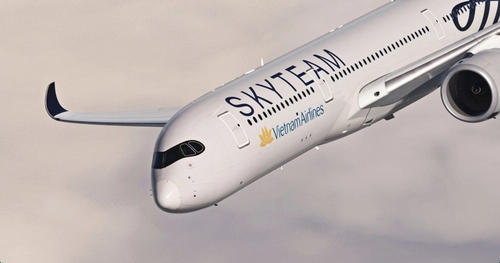
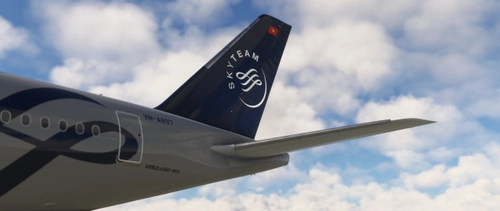
Inibuilds Airbus A350 Vietnam Airlines VN-A897 (Skyteam)
This add-on features the Inibuilds Airbus A350 in the Vietnam Airlines livery (VN-A897), designed for both FS20 and FS24 versions of Microsoft Flight Simulator. The FS20 version includes options for both a dirty and clean version of the aircraft, while the FS24 version is limited to a clean variant due to dynamic weather integration. Installation is straightforward by moving the designated folder into the Community directory of the simulator.
This add-on features Vietnam Airlines VN-A892 livery for the IniBuilds A350-900, delivering accurate exterior decals and a high-quality visual experience based on the latest available photos. Users can choose between 4K and 8K versions, compatible with both Microsoft Flight Simulator 2020 and 2024. The installation process is straightforward, requiring users to extract the contents into their community folder.

![PMDG 777-200ER | Vietnam Airlines - VN-A142 4K [No Cabin]](https://cdn.flightsim.to/images/27/pmdg-777-200er--vietnam-airlines---vn-a142-4k-no-cabin-84767-1754029515-qwOjt.jpg?width=500)
![[8K] Vietnam Airlines VN-A141 By WingtipLight](https://cdn.flightsim.to/images/27/8k-vietnam-airlines-vn-a141-by-wingtiplight-179706-1746759190-4eUai.jpg?width=500)
![Vietnam Airlines [Pack] - IniBuilds A350-900](https://cdn.flightsim.to/images/27/vietnam-airlines-vn-a892---inibuilds-a350-900-114744-1741277330-EGvgO.jpg?width=500)