
Description
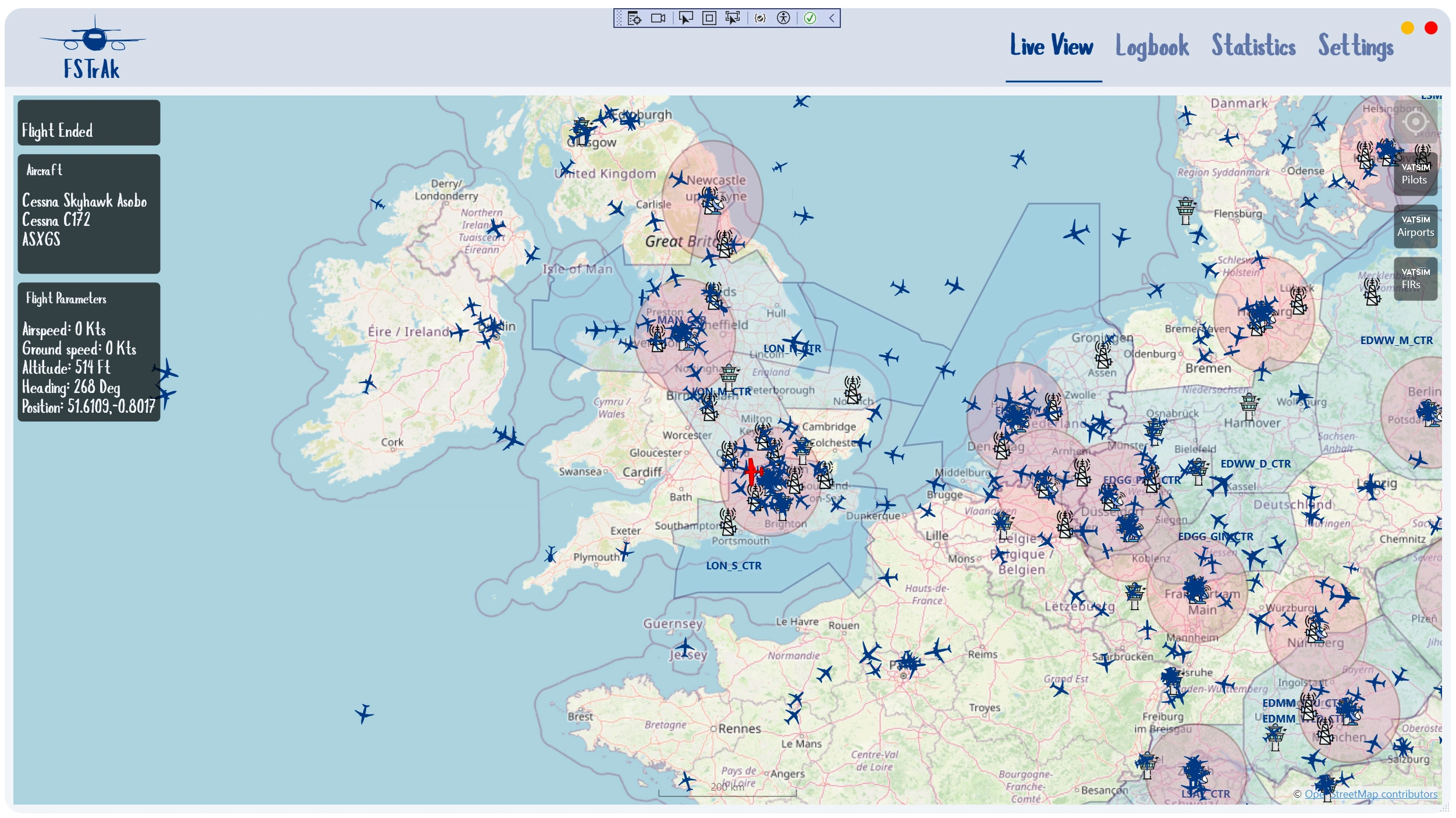
FSTrAk is a modern flight tracker and logbook for MSFS.
FSTtAk aims to be a no-frills, install-and-let-it-run experience - as it requires no manual intervention. FSTrAk monitors your simulator silently and will detect when a flight is started, track it on a map, and persist it to a local database when it is complete.
InstallationFSTRaK Desktop App
Download the latest release zip from flightsim.to or GitHub Releases.
Run the installer included in the zip. FSTRaK installs to %LocalAppData%\Programs\FSTRaK by default.
Launch FSTRaK. It will connect to MSFS automatically when the simulator is running — no configuration needed.
MSFS In-Sim Moving Map Panel and EFB app (optional)
Adds a moving map toolbar panel and an EFB app inside MSFS 2024 that mirrors your FSTRaK map, shows live ATC coverage, and tracks your aircraft position.
Locate the addon folders in the zip. They are named fstrak-ingame-panel and fstrak-efb-app, and sit alongside the FSTRaK installer.
Copy both or one of them into your MSFS 2024 Community folder:
- Microsoft Store / Xbox App:
%LocalAppData%\Packages\Microsoft.FlightSimulator_8wekyb3d8bbwe\LocalCache\Packages\Community - Steam:
%AppData%\Microsoft Flight Simulator\Packages\Community
Restart MSFS 2024. The FSTRaK Moving Map icon will appear in the in-sim toolbar.
Start FSTRaK on the same PC before launching the panel. The panel displays a "FSTRaK is not running" message if FSTRaK is not reachable.
DatabaseFSTrAk saves the data as an sqlite database called FSTrAk.db at your %appdata% folder (usually C:\Users\[username]\AppData\Local\FSTRaK).
You can backup this file. Although upgrading and uninstalling does not delete this folder, I recommend backing up the file from time to time.
- Automatic silent start-up
- Automatic flight tracking (hands-free experience)
- Option (default) to save only complete flights - i.e. flight ended in parking states, with engines off and parking breaks, after having flown
- Different map providers:
- OpenStreetMap
- OpenTopoMap
- Azure Maps
- FAA/DFS/Israel AIP charts
- TopPlus Open (BFK)
- Live flight tracking with a moving map
- Display VATSIM and IVAO pilots and ATC
- Statistics (most used aircraft, most used airlines, average and max payload, distance, etc.)
- Dark Mode
Some maps and features require setting up API keys with specific vendors for full functionality. See the project's page at https://github.com/o4oren/FSTRaK and give us some stars!
Roadmap
- Simbrief integration (fetch passengers, planned vs actual fuel and time, planned vs actual route)
- More statistics
- More Maps
- Display bearing/distance to a designated point on the map
FSTrAk uses icons from Airport icons created by Freepik - Flaticon
FSTrAk
FSTrAk is a modern flight tracker and logbook for MSFS (and possibly FSX/P3D, although not tested). It aims to be a no-frills, install and let it run experience - as it requires no manual intervention. FSTrAk monitors your simulator silently and will detect when a flight is started, track it on a map, and persist it to a local database when it is complete.


Supporters

User Reviews
13 reviews
More Information
Version History
In-sim moving map panel: an MSFS2024 addon that shows the FSTrAk moving map within MSFS, including the selected maps and VATSIN/IVAO ATC. This is especially important when using VR, as the charts are available in the airplane. See instructions on the main page.
Related

IAF Hofit
Experience the IAF Hofit, a modified Beechcraft Bonanza A36 aircraft used by the Israeli Air Force for liaison, light transport, and observation missions. This add-on brings the realistic IAF A36 to your Microsoft Flight Simulator, offering a unique flying experience without Garmin avionics.
by ogeva

Cessna 172 - Moonair - 4X-CWK
Experience flying the skies in the Cessna 172 SP 4X-CWW, owned by Moonair and based in Herzlia, Israel. This aircraft is primarily utilized for pilot license training and leasing to private pilots. The detailed paint scheme is closely modeled after a design by user HubDubs, making it a visually authentic addition to your Microsoft Flight Simulator hangar. Simply unzip the file into your community folder for easy installation.
by ogeva

RSP R44 Clipper - Alaska State Troopers
Fly high in the Alaskan skies with the RSP R44 Clipper inspired by the Alaska State Troopers iconic blue/white livery. Experience the wilderness with the Alaska State Troopers, a full-service law enforcement agency in the Last Frontier. Join the ranks of the Alaska State Troopers as they handle both traffic and criminal law enforcement, along with their unique role in wildlife enforcement. Explore Alaska like never before in this true-to-life representation of the ASTs aviation division.
by ogeva
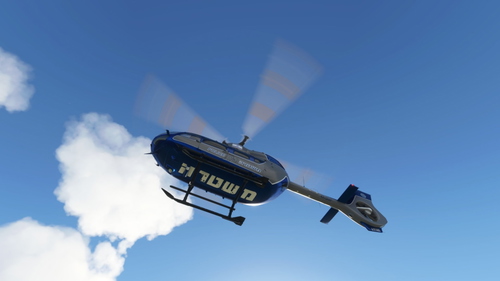
HPG Airbus H145 Israeli Police "Duchifat"
Explore the HPG Airbus H145 Israeli Police "Duchifat" add-on, featuring a detailed replica of the helicopter operated by the Israeli Polices aerial unit. This aircraft is utilized for various missions such as search and rescue, crime control, and fire fighting, embodying versatility and efficiency in the virtual skies.
by ogeva

Comments(146)
Log in to join the discussion
Log In4 days ago
4 days ago
4 days ago
about 1 month ago
today i have installed the newest version of your wonderful program. But the FSTRAKMoving map shows me only a white screen and the EFB part only a black screen. Any hints to fix this problem. the main program works fine.
regards
19 days ago
Can you try one of the openstreetmap or other free maps?
11 days ago
9 days ago
8 days ago
4 days ago
3 days ago
about 2 months ago
Will it be possible to make it as Web-IP so i can use it with a web browser?
Best regards
peter
about 2 months ago
The app has to run on the pc running MSFS to get the integration.
about 2 months ago
Best regards
peter
about 1 month ago
about 2 months ago
about 2 months ago
about 2 months ago
about 2 months ago
about 2 months ago
about 2 months ago