
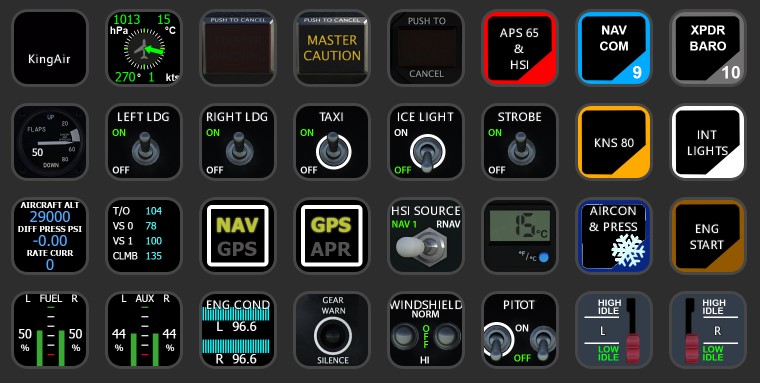
Description
KingAir SteamGauge (Black Square) AAO Scripts & StreamDeck XL Profile
by Guenseli
You need LORBYs AAO and its StreamDeck Plugin to run this StreamDeck profile.
Sorry, I do not use that addon any more on a regular basis. Therefore, there isn't currently any further development of this StreamDeck profile.
ATTENTION!
PLEASE READ CAREFULLY!
- When you import SD profiles, make sure to delete the old ones, otherwise you'll get profile copies.
- Make sure to always have the latest AAO and AAO StreamDeck plugin versions!
- I just create the SD profiles! For any connection issues, SD plugin not working, Buttons show "?" or nothing, no reaction of the SD etc., please contact the developer of AAO! And please read the AAO Manual or the short Troubleshooting PDF
- It is - as the title says - just for the StreamDeck XL (!). Please do not ask for a 15 button conversion. This will not happen as this will more than double the amount of development and support for me as I do not have a 15 button SD. Sorry.
- Please ask if you want to use parts of my SD profiles, icons or AAO scripts or whatever! And please ask everytime you start a new project! You have to credit and link me in your description!
- If you use my work, you are then not allowed to beg for own donations!
Installation:
Install the SD profile by double clicking at BKSQ KingAir 350.streamDeckProfile
Install the SD PLUS profile by double clicking at PLUS BKSQ KingAir 350.streamDeckProfile
Import the AAO script AxisAndOhsScripts_BKSQ_KingAir.xml according to the AAO manual
If you see little numbers on some icons, these are the page numbers linking to my Standard Avionics Suite.
Features:
KNS 80
Engine Condition
fully functional HSI gauge (do not copy it to other addons, does only work for the C208/KingAir)
Cabin temp gauge (press to switch between C und F)
Autopilot
NAV COM XPDR digital input
Cabin pressure system
Known issues:
Tested only with KNS 80 setup without any GPS/GTN devices. Please notify me if there are any side effects.
Inverter switches do work but status is not show correctly on the buttons.
WXR is not implemented, but there's already a profile from Jörg you can implement:
Streamdeck Profile for Bendix Weatherradar
Donations are welcome!!! it is a lot, really a lot of work, and some donations make future projects easier ;) thx!
KingAir SteamGauge (Black Square) AAO Scripts & StreamDeck XL & PLUS Profile
Enhance your KingAir experience with the KingAir SteamGauge (Black Square) AAO Scripts & StreamDeck XL & PLUS Profile by Guenseli. This add-on requires LORBYs AAO and its StreamDeck Plugin for full functionality. Access features like KNS 80, engine condition, autopilot, and more. Please note that this profile is designed for the StreamDeck XL only.


User Reviews
7 reviews
More Information
Version History
Added KNS 80 to PLUS profile small fixes Tested with KingAir v 1.3, but only with non GPS avionics. Do not see any further bugs so far. Please report if so. Thx
Related
FENIX A3XX AAO Scripts & StreamDeck XL & PLUS Profile
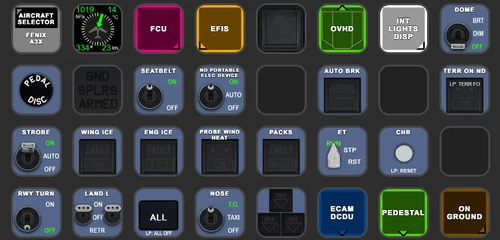
Customize your Microsoft Flight Simulator experience with FENIX A320 AAO Scripts & StreamDeck XL Profile by Guenseli. This add-on offers a seamless integration with LORBYs AAO and StreamDeck Plugin for optimal performance. Explore the detailed installation instructions for enhanced functionality with a VRInsight MCP Combo II. Elevate your simulation setup with this meticulously crafted add-on.
by Guenseli
Icon Pack for Elgato StreamDeck
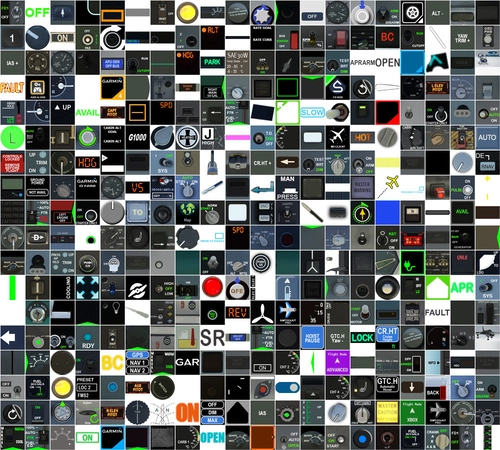
A collection of over 3500 icons designed for Elgato StreamDeck and similar devices, created by Guenseli. Ideal for personal use with a disclaimer against commercial usage. Icons are detailed and diverse, providing a variety of options for customization. Credits required if used in public projects, with a suggestion for donations to support the creators work.
by Guenseli
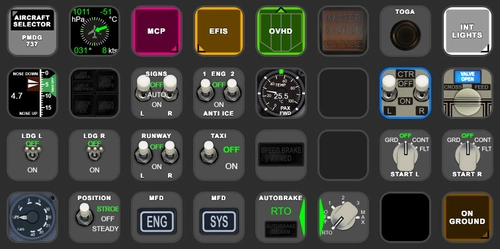
PMDG 737 AAO Scripts & StreamDeck XL & PLUS Profile
Enhance your PMDG 737 experience with the PMDG 737 AAO Scripts & StreamDeck XL & PLUS Profile by Guenseli. Make sure to update your Elgato Software to version 6.0 or higher for compatibility. This profile is specifically designed for the StreamDeck XL and requires LORBYs AAO and its StreamDeck Plugin to run smoothly. Get ready to elevate your cockpit with this detailed and user-friendly add-on.
by Guenseli
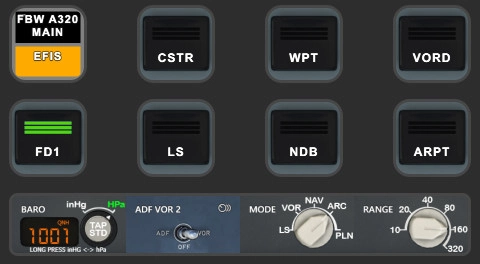
FBW A320 AAO Scripts & StreamDeck XL & PLUS profile and MCP Combo template
Enhance your FBW A320 experience with tested AAO Scripts and StreamDeck profiles for XL & PLUS versions. Ensure to delete old profiles before import and always use the latest plugin versions for seamless integration. Contact AAO developer for any connection issues and give credit if using parts of these profiles in your projects. Install scripts and profiles for an immersive flight simulation experience.
by Guenseli

Comments(28)
Log in to join the discussion
Log Inover 3 years ago
If you have greyed out buttons, no reaction of the StreamDeck, exclamation marks etc, that means you have connections issues between AAO and the StreamDeck.
94% of all support request are due to no proper connections or outdated versions of AAO and/or the AAO SD plugin.
Check ports, check the troubleshooting PDF, contact AAO support.
My Streamdeck profiles work (beside from probably little bugs). If you have such issues, I can't help you, sorry! Support requests can't not solved by me as I'm not the developer of AAO!
over 1 year ago
Given the engine gauges are many and hard to monitor all at the same time, I've been wanting to implement live engine gauges on the stream deck.
Is it possible that you know and would be happy to share all the variables/SDK for displaying the following gauges?
ITT
Torque
Prop RPM
Fuel Flow
Oil Temp/Quantity
Thank you so much!
over 2 years ago
over 2 years ago
You have to link it to my standard avionics suite and, e.g. NAVCOM to page 7
This is unfortunately nothing I can export. Users have to set this themselve
over 2 years ago
also, alot of the autopilot inc and dec don't work. as the pitot heat doesn't work
over 2 years ago
One request, when ever possible could you add scripts for wipers also ?
Thank you
almost 3 years ago
Perfect piece, thanks very much. inver L switch always oriented downwards, otherwise everything is correct.
about 3 years ago
There is no way to set the Preselect altitude? Or did I miss something? Couled not find it in AAO
about 3 years ago
Sorry, I don't know what you mean ...?
about 3 years ago
I could not find an button assignment in your scripts for setting the Altitude preselector (the instrument that says "Altitude set" in the middle of the main panel). The default msfs assignments inside AAOs for increment and decrement altitude are not working. So I wanted to know if I missed something in your assignments or if you dont have them included? Thank you!
about 3 years ago
I think I already solved it - I was able to use the alt sel with the default AAO Alt set, but I had to change the value from 1 to 0.
about 3 years ago
I know this is a repeat comment but would really like you to work your magic again in the piece
In the current version I can't find the Engine ignition arm switch. ext power and Bus sense are not controlled. aux and main fuel levels are displayed the same. Otherwise this works perfectly !!!!! Also, is it possible to add a wiper button to the case? It's a bit annoying to turn on the wipers in the rain, it would be nice to have a button to turn them on directly.
about 3 years ago
Hi,
I just downloaded your work. this is so much fun now, great work you are doing. But I have one question. For buttons "Nav Com" and "XPDR BARO", they just change to default profile, what is missing on my end. ( I just downloaded your Standard Avionics Suite) looks like it is working now......
about 3 years ago
Great addon! I am having issues with the AAO BVARS For all condition levers and Altitude preselect. I have the latest version of AAO (3.00 b53). I am currently not using stream deck just AAO directly. Any Ideas?
about 3 years ago
You have to make sure to have the AAO InGame/FIP Panel enabled
about 3 years ago
First of all thanks for such an outstanding work, extremely impressed with the data synchronized on the buttons! In the current version I can't find the Engine ignition arm switch. ext power and Bus sense are not controlled. aux and main fuel levels are displayed the same. Otherwise this works perfectly !!!!! Also, is it possible to add a wiper button to the case? It's a bit annoying to turn on the wipers in the rain, it would be nice to have a button to turn them on directly.
about 3 years ago
Excellent! Any chance to add the other "Hot 5" switches, Fuel Vent Heat and Stall Warning heat switches, in addition to the Pitot Heat switches?
about 3 years ago
Great! Thank you for all the efford. I hope youre in, for the upcoming baron? :)
over 3 years ago
Remember those of us who only make it to the 3X5 Stream Deck, thank you.
over 3 years ago
Remember to read my notes above ;)