
Description
Sandakan Airport (WBKS) Sandakan, Sabah, East Malaysia
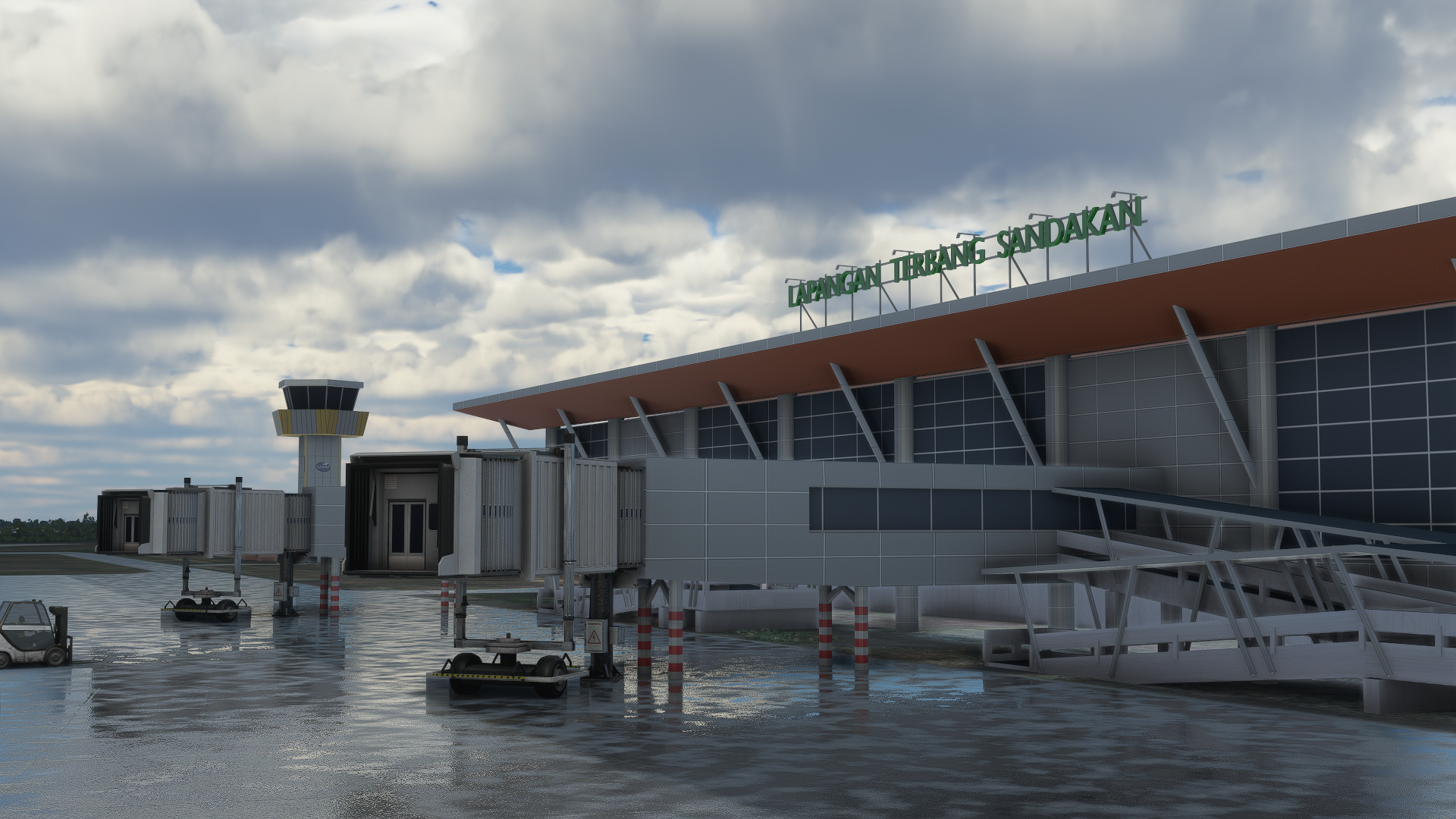
Sandakan Airport (IATA: SDK, ICAO: WBKS) is a domestic airport which serves Sandakan, a town in the east Malaysian state of Sabah. It is located 14 km (8.7 mi) west of downtown Sandakan. In 2005, the airport handled 621,513 passengers and registered 10,876 flights
Credit
Thank You yopeastr85 for the models of the airport and giving me the permission to upload this :)
Huge thanks to yemsno for doing the taxiway, runway and many more !
Installations
Simply drag and paste the folder into the community folder
Kindly let me know if you are facing any difficulites with the files .
Sandakan Airport - WBKS
Explore the Sandakan Airport in East Malaysia with this Microsoft Flight Simulator add-on. Serving the town of Sandakan, this domestic airport is located 14 km west of downtown. Credits to yopeastr85 and yemsno for their contributions to this detailed scenery. Easy installation - simply drag and paste the folder into your community folder.

User Reviews
2 reviews
Location
More Information
Version History
Removal of Center Runway Lights Removal of Center Taxiway Lights Adding back Dual Left Right PAPI Lights on Runway 26
Related
![Custom Camera Views [FENIX A320]](https://cdn.flightsim.to/images/23/custom-camera-views-fenix-a320-lrIBO.jpg?width=500)
Custom Camera Views [FENIX A320]
Customize your flight experience with this add-on featuring custom camera views for the FENIX A320 aircraft. From pilot view to overhead panel, this mod offers a variety of perspectives to enhance your simulation immersion. Follow the installation instructions carefully to enjoy these new camera angles and elevate your Microsoft Flight Simulator experience.
by MistyEagleGaming
![Custom Camera Views [PMDG 737]](https://cdn.flightsim.to/images/23/custom-camera-views-pmdg-737-x45Be.jpg?width=500)
Custom Camera Views [PMDG 737]
Custom Camera Views for PMDG 737 (ALL VARIANTS) offering a variety of defined camera perspectives including pilot view, cockpit views, wing views, and more to enhance your flight simulation experience. Follow the provided installation instructions carefully to set up custom camera views in the main MSFS location. Ensure to backup your existing "Airplanes" folder before copying over the new files to easily revert back to your saved camera views if needed.
by MistyEagleGaming
![[FBW] Custom Camera Views [A32NX]](https://cdn.flightsim.to/images/12/pOItB70S.png?width=500)
[FBW] Custom Camera Views [A32NX]
Enhance your FlyByWire Mod A320 NEO experience with this add-on featuring custom camera views such as pilot view, overhead panel, and cockpit wing views. Follow detailed instructions to install the custom cameras outside of the Community folder, ensuring a seamless integration into your Microsoft Flight Simulator. Explore a variety of unique camera perspectives to immerse yourself in the A320 NEO cockpit environment.
by Brandon
Batik Air A320Neo (PK-BDF) - FBW A32NX
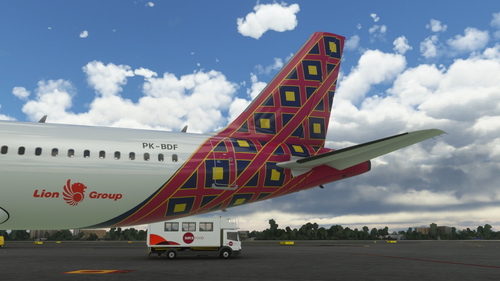
This add-on offers a new livery for the A320neo featuring Batik Air PK-BDF in a dirty 8k resolution. It includes unique features like a CUP with Starbucks logo, a slightly dirty aircraft appearance, and an accurate SELCAL Plate in the cockpit. Compatible with FlyByWire version and SimUpdate 8+.
by Brandon

Comments(8)
Log in to join the discussion
Log Inover 4 years ago
Jetways are slightly out of position (SU7, FS Ver. 1.21.18.0). On your other airports as well.
https://imgur.com/a/lwzLEpj
almost 5 years ago
hello.... good job can make WBKK please
almost 5 years ago
Hello brandon. I alreary download, extract and put it in community folder, but still nothing change on sim, how to fix this? Tq, i appreciate your hardwork.
almost 5 years ago
good job Brandon. but may I ask about the light? thank you in advance
about 5 years ago
about 5 years ago
about 5 years ago
about 5 years ago