Flightsim.to

    FSLabs Airbus A321neo

    Browse 244 free FSLabs Airbus A321neo add-ons for Microsoft Flight Simulator (MSFS 2020 & 2024). Top categories are MobiFlight Profiles, Custom Views. Liveries, sound mods, checklists, cockpit improvements and more.

    244 add-ons
    MSFS 2020
    MSFS 2024

    Browse Compatible Addons

    244 files available
    Stream Deck XL - Plus et MK 2- Profile – Airbus A321 NEO (FsLabs) | MSFS 2024

    Stream Deck XL - Plus et MK 2- Profile – Airbus A321 NEO (FsLabs) | MSFS 2024

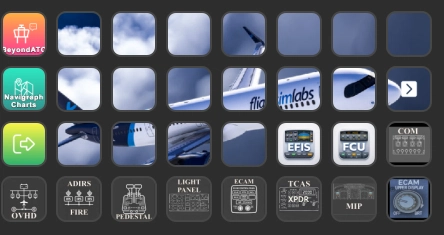
    This add-on features a Stream Deck XL - MK2 et Plus -profile tailored for the Flight Sim Labs Airbus A321 NEO, designed for use with MSFS 2024. The profile includes 32 keys and offers an immersive cockpit experience, inspired by existing layouts and utilizing Fenix profile icons. Essential panels such as Overhead, Pedestal, and ECAM are included, with ongoing development aimed at optimizing functionality and user experience.
    dixdetensiondixdetension
    MSFS2020/24
    5.0(1)
    645
    1.78 MB
    2 weeks ago
    FlightSimLabs A21N StreamDeck+ Panel

    FlightSimLabs A21N StreamDeck+ Panel

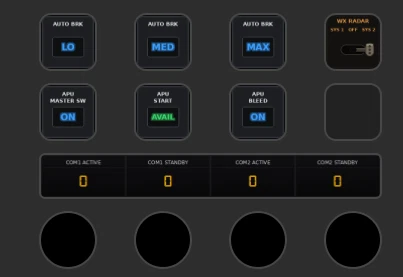
    This Stream Deck Plus profile offers a detailed control panel for the FSLabs A321neo in Microsoft Flight Simulator, replicating cockpit controls for autopilot, lights, systems, and radio/SQK keypad based on real aircraft data. The add-on features interactive switches, annunciator lights, auto brake functions, and a DRAIMS-style squawk code entry system. It includes customizable camera views and supports multiple device pages. Installation is handled via PilotsDeck, with original, flight-sim-specific artwork and no modification of base aircraft files.

    FogGuardianFogGuardian
    MSFS2020/24
    0.0(0)
    48
    710.6 KB
    1 month ago
    FSLabs A321Neo Stream Deck + Autopilot Panel

    FSLabs A321Neo Stream Deck + Autopilot Panel

    The FSLabs A321Neo Stream Deck + Autopilot Panel integrates the Stream Deck Plus for immersive aircraft autopilot control. It features physical buttons, an LCD touchscreen, and rotary dials to manage essential autopilot functions, including Flight Director, Auto Throttle, and navigation frequencies. Users can adjust values for speed, altitude, and lighting through intuitive controls, enhancing the overall flight simulation experience. Regular updates and dedicated support are provided to ensure optimal performance.

    Flight PanelsFlight Panels
    MSFS2020/24
    0.0(0)
    1.78 MB
    2 months ago
    Showing 1 - 3 of 3 results