
![EGHI - Southampton International Airport [SOU] - Image 1](https://cdn.flightsim.to/images/28/20260414_104241_a2bc69c1ebaae9d0_eghi-southampton-international-airport-sou.png)
Description
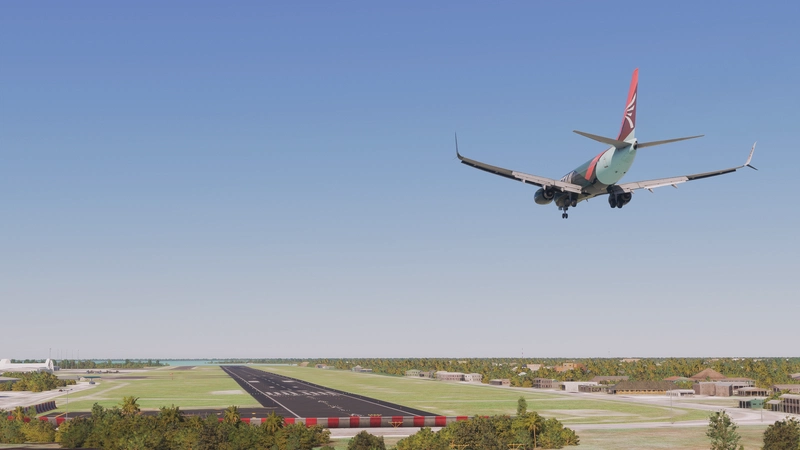
Southampton International Airport (EGHI) – MSFS 2024
Southampton International Airport, rebuilt using the latest available charts and current airport layout.
My second project focuses on correcting apron geometry, stand positions, and overall ground flow, with the aim of making the airport behave as expected during normal operations. The approach is informed by long-term real-world exposure to how these environments function in practice.
- Fully reworked aprons and stand layout
- Extended Runway
- Custom terminal and supporting airside buildings
- Updated ground markings and taxi routing
- Surface textures with realistic wear and variation, and SOU's.....lets say "mature" taxi and runway surfaces.
- Lighting adjusted for consistent day/night use
- Geometry and assets optimised for performance
Detail has been applied selectively, with an emphasis on accuracy and usability rather than density. Surfaces, spacing, and proportions are intended to feel consistent across the airport. I've designed it with use for either Photogrammetry on or off.
UK2000 Asset Pack is an absolute requirement.
Roundabout aircraft model is "Spitfire" (https://skfb.ly/or8ZF) by tazpapas18 is licensed under Creative Commons Attribution (http://creativecommons.org/licenses/by/4.0/).
The Line Textures etc are in part from Deluxe/Premium Deluxe and/or World Updated sceneries. There may be errors in markings if you do not have these installed.
This is the start of an extensive project, for instance it doesn't even have a fence!
Future updates over the coming days/months will include the detailing around the apron and fencing, adding lights to the buildings, and then once the Manoeuvring area and apron are completed I will then turn attention to groundside, and the surround warehousing. It's a long way of being finished but is usable for now!
Dependencies
EGHI - Southampton International Airport [SOU]
This add-on provides a detailed recreation of Southampton International Airport for Microsoft Flight Simulator 2024, incorporating the latest charts and current airport layout. It offers fully reworked aprons, updated runway, custom terminal buildings, and realistic surface textures. The emphasis is on operational accuracy and optimized performance, with compatibility for both photogrammetry settings. The add-on is a work in progress, requiring the UK2000 Asset Pack, with future updates planned for additional detailing.

User Reviews
5 reviews
Version History
- Added Station Multistory - Added Welcome sign - Added more carparking
Featured in Collections(1)


Related
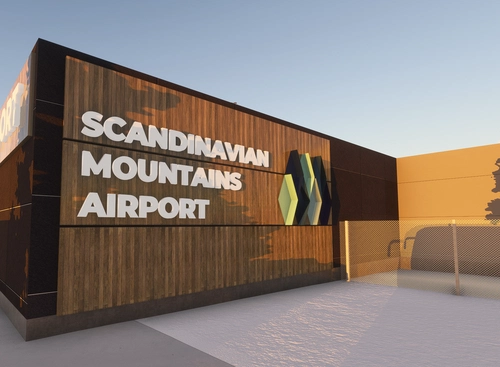
ESKS Scandinavian Mountains Airport Salen v2.0
This add-on enhances the Scandinavian Mountains Airport (ESKS) near the Sweden-Norway border, accurately reflecting its real-world infrastructure as a commercial-capable airfield. The update includes an extended grooved asphalt runway, expanded apron and parking, regional ground equipment, and improved car parking areas. The airport serves the major ski resorts of Sälen and Trysil, supporting seasonal airline and private jet operations. Several asset packs are required for full functionality in Microsoft Flight Simulator 2024.
by MatelotCrab
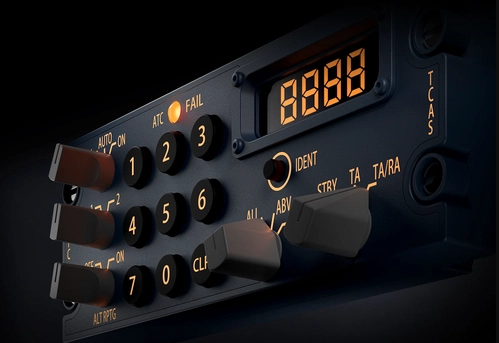
WinCTRL iFLy 737 Max8 TCAS
This Mobiflight profile provides functionality for the WINCTRL TCAS panel, adapted for use with the iFly 737 Max 8 in Microsoft Flight Simulator. It supports standard key and knob mappings tailored for both Airbus and Boeing panels, with specific adjustments for VATSIM and MSFS compatibility. The profile can be integrated into other compatible Mobiflight projects for the 737 Max 8. Note that the ATC FAIL light remains permanently illuminated due to a current limitation.
by MatelotCrab
Log in to join the discussion
Log InComments(23)
5 months ago
4 months ago
5 months ago
5 months ago
5 months ago
5 months ago
thanks for the reactivity to find solution to correct issues
i am downloading your last version 1.4
have a good day
Thierry
5 months ago
he explained me that he as some strange things on the parking area
i installed you latest version 1.2 , and unfortunately i had too, moreover i had also strange position of vehicle and aircraft on the parking area (see screenshot)
where i can turn off displacement mappings ?
my friend has some Inibuilds sceneries and you suggest to reduce the TLOD (same question where he can do that ?)
I have also a full amd CPU & GPU config in W11
5 months ago
As I said elsewhere I'm fairly sure I know what the problem is so I will update it on Sunday evening or Monday.
In the meantime it's under. Settings>graphics>advanced.
5 months ago
5 months ago
5 months ago
Beautiful sceney. thanks
But i have similar problem as YYCNomad on the parking stand.
i am amd processor and video card, not n vidia for info.
5 months ago
I will in the next week or so upload a version with a different texture to see if it solves it if you could try downloading that.
In the meantime time can you try displacement mapping and also reducing the TLOD as on some forums people report this problem with inibuild scenery when TLOD is 300+
5 months ago
That should be the parking stand problem fixed in the latest update if you can check and let me know :)
5 months ago
That was the solution to the problem
Everything is fine now and EGHI looks splendid.
Thank you again.
Happy flying !
5 months ago
If you can put a real Spitfire model on roundabout on the way in to the airport that'd be chef's kiss ;)
5 months ago
5 months ago