About this addon
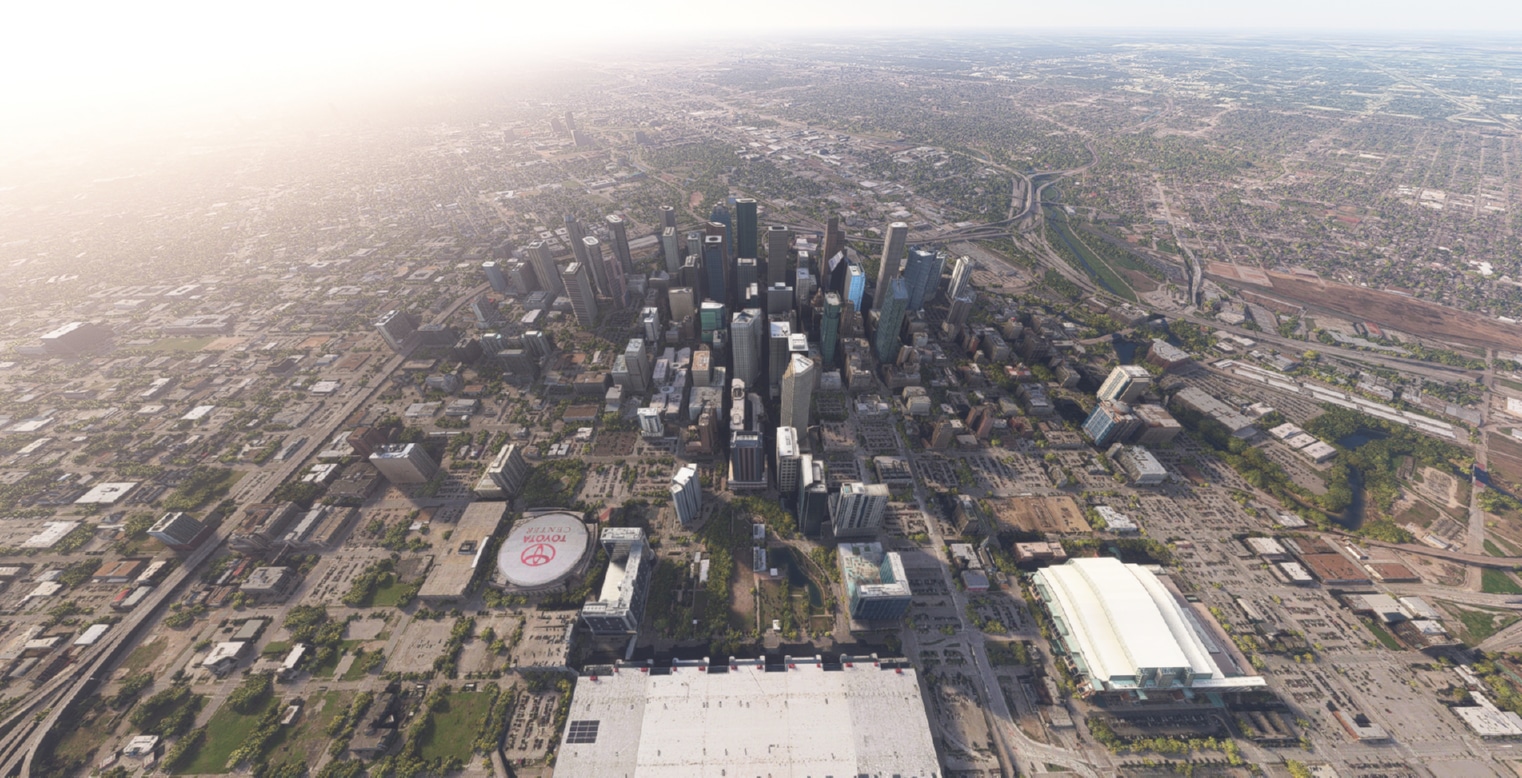
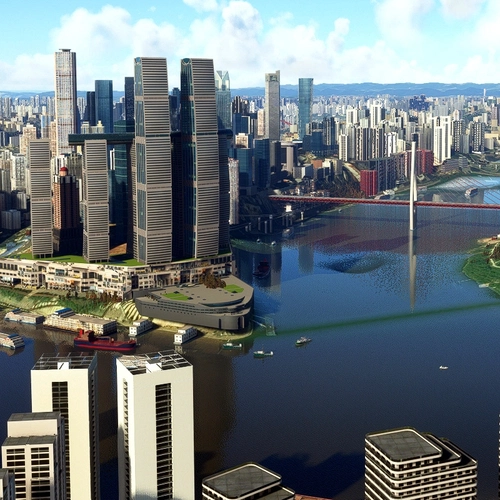
A re-design of city area according to geographical position of objects. We bring out the best of MSFS in build photogrammetry around the city area, by fixing textures, structure, bridges, shores and added back many missing buildings and features.
The main objective of this scenery is to show MSFS's USA photogrammetry at its best, with addition of feature buildings to further enhance the simulation experience. This volume 3 includes 4 major cities in United States: Dallas, Austin, San Diego, Houston.
USA World Update installed is highly recommended!
Features
- 1. over 80 handcrafted building models in each city
- 2. replaced default broken bridges with handcrafted bridges over the cities
- 3. beautiful night effects
- 4. most building rooftops are landable helipads
- 5. compatible with other developer airport addons
- 6. it can be used with the photogrammetry turned off
Changelog
make the compatibility with city update 13
added city update 10 compatibility added trigger to select which city to be displayed (main folder)
- to be fully compatible with MSFS2024 - fixed some night lighting bugs in Houston - fixed some shore issues in San Diego
- added few more landmark models to San Diego and Dallas - improved the compatibility with the world update Texas
User Reviews

mdtenor22
VerifiedSep 17, 2025
I'm getting a weird flickering in VR, especially at night, and it only happens in San Diego. When I take the add-on out of the community folder, the flickering goes away. I can't figure out what's causing it, other than it's related to this add on. I haven't seen it in the other cities, but I fly in San Diego the most. Makes it unplayable.
HeavyDelta
VerifiedJul 23, 2025
I only bought Vol. 3 for San Diego, and I am very disappointed. Very few SD landmarks that really make the downtown area what it is. No Navy ships and carriers added except for a VERY sparse USS Midway that looks so unrealistic it takes you out of the sim. No Star of India?! No Hotel Del Coronado rework?! Not even a rework of the El Cortez sign?! Padres stadium looks cheesy. I would honestly say they made San Diego look LESS impressive than the original game!

Cazzie
VerifiedMar 19, 2024
All three of these sets are great, except in No. 2. SamScene3D needs to go back and correct Atlanta to match updated Bing Maps. Fulton County Stadium is no loner the Atlanta Braves home field, they have a new ballpark named Truist Field near Dobbins AFB. Fulton County Stadium is still there, but it is now a football field for Georgia State University. If you turn off Photogrammetry in MSFS and take off east and bear slightly SE, you'll see the new stadium. You can also find in in either Bing or Google Maps and Earth.
USA Modern Cities Vol. 3
Explore USA Modern Cities Vol. 3 and witness beautifully redesigned city areas in Microsoft Flight Simulator. This add-on enhances the photogrammetry of four major US cities - Dallas, Austin, San Diego, and Houston - with handcrafted buildings, bridges, and realistic textures. With over 80 custom building models per city, improved night effects, and more, this scenery is designed to showcase the best of USA photogrammetry in MSFS. Complement your simulator experience with this detailed scenery upgrade.

Instant digital delivery • Secure payment
Requirements
Additional Requirements
- Microsoft Flight Simulator
More by this publisher

Details
- Category
- Scenery Enhancements
- Release Date
- Mar 14, 2024
- Last Updated
- Feb 4, 2026
- Reviews
- 3
- Compatibility
- MSFS2020/24
- Country
- United States