About this addon
Your SimBrief flight plan, live on your Stream Deck +
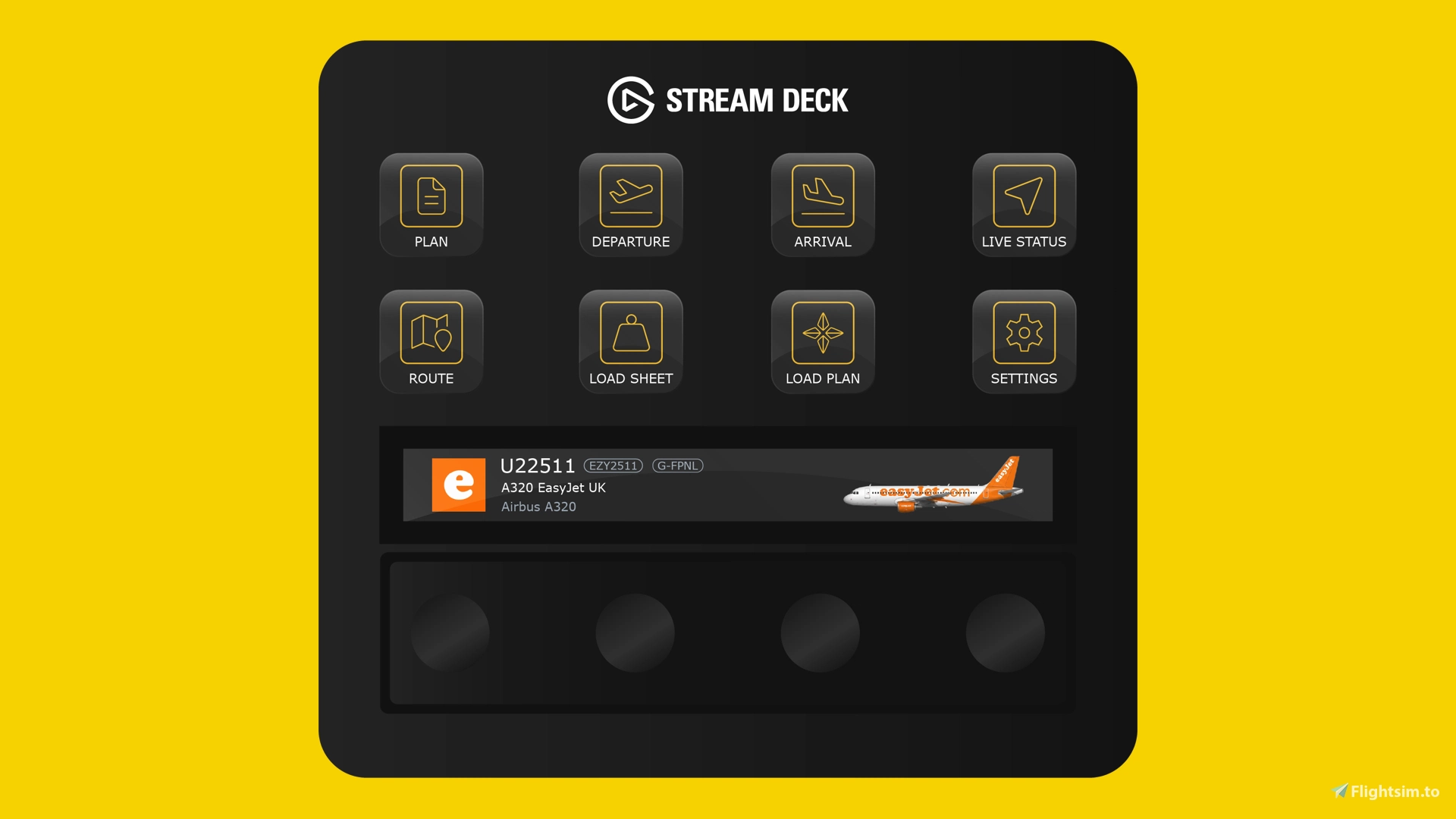
Flight details, route progress, real world weather and weights are all a button press away, so you can stop switching windows and keep your attention on the flight.
Home
Navigate the profile and reach its settings from one screen. The LCD shows your flight number, tail number, aircraft type and airline, complete with the airline logo and aircraft livery. It then transitions automatically to a virtual departure board showing your scheduled departure time, airline logo, flight number, destination and status, moving from Scheduled through Check In Open, Proceed to Gate, Boarding and Departed.
Plan
See the key details of your flight plan at a glance: departure and arrival airport codes, arrival runway, total flight distance and estimated arrival time. The LCD tracks your progress live from departure to arrival, in the same style as your favourite flight tracking app.
Live Status
Monitor altitude, ground speed, true airspeed and heading in real time, with live graphs for altitude and speed.
Departure and Arrival Airports
A dedicated screen for each airport shows the airport logo, current real world weather, runway information and local time.
Waypoints
Check real world weather for every waypoint along your route, including wind speed and direction, pressure, temperature and visibility. The LCD shows your real time progress, with upcoming waypoints and the distance to each.
Weights
Review passenger numbers, take off and landing weights, baggage and payload weights, and arrival runway information.
SimBrief Configuration
A SimBrief account and SimBrief ID is required. Before your first flight, link the profile to your account by launching the Stream Deck application, double clicking on the 'Settings' button on the profile followed by the 'SimBrief Username' button. Once selected a button configuration section will appear where you'll find a field labeled "SimBrief ID".
About Flight Panels
Our mission is to become an integral part of any Microsoft Flight Simulator setup, through the creation of professional, highly detailed, modern and consistency designed Stream Deck profiles, which maximise the immersive experience of Microsoft Flight Simulator. Our focus on user design, user experience and product research, backed by regular product updates and dedicated industry leading support - is there to provide our community with the confidence that a key part of their Flight Simulator setup will be regularly updated and supported.
Frequently Asked Questions
Q: Do you provide regular product updates?
We regularly update our Stream Deck Profiles to include new features, functionality and bug fixes and we're delighted to provide these free of cost, for the duration of the products lifespan. Announcements are also published on our Discord server and Release Notes are available on our product updates blog.
Q: What if I need support?
We provide free industry leading support by email (support[at]flightpanels.io), Discord and Live Chat (available on the bottom right hand corner of each webpage). On average, we respond to support requests in less than 15 minutes!
Q: How are your products installed?
Installation is performed through the Flight Panels All-In-One Installer, which automatically installs and configures third party applications (FSUIPC7, PilotsDeck, .NET Runtimes etc.) to make installation a breeze.
Q: How is the product licensed?
This product is for personal and home use. For commercial use and/or where used to generate revenue (directly or indirectly) a commercial license is required. Please contact support[at]flightpanels.io for further information.
Q: How can I keep up to date with the latest news?
Blog: https://flightpanels.io/blog/news
Product Updates: https://flightpanels.io/blog/product-updates
Support Portal: https://support.flightpanels.io
Instagram: https://instagram.com/flightpanels
Threads: https://threads.net/flightpanels
Discord: https://flightpanels.io/discord
Changelog
General improvements and bug fixes
User Reviews
No reviews yet. Be the first to share your experience!
SimBrief Stream Deck Profile
This Stream Deck profile displays SimBrief flight plan data directly on your Stream Deck, providing live flight details, route progress, and real-world weather. It includes screens for departure and arrival information, waypoints, and aircraft weights, all updated in real time. Users can monitor flight progress and key statistics without leaving the simulator. A SimBrief account and ID are required for setup and operation.

Instant digital delivery • Secure payment
Requirements
Additional Requirements
- Stream Deck +
- Microsoft Flight Simulator 2024 (Steam or Microsoft Store)
- SimBrief Account
More by this publisher

Stream Deck Bundle: FlyByWire A32NX & Fenix A320
Miscellaneous
€ 50,65
AeroLens Pro - iniBuilds A320 - Stream Deck Profile
Miscellaneous
€ 21,39
AeroLens Pro - Asobo TBM 930 - Stream Deck Profile
Miscellaneous
€ 21,39

Headwind A339X Stream Deck + Autopilot Panel
Miscellaneous
€ 21,39
Phenom 300E Stream Deck Profile
Miscellaneous
€ 33,77
Details
- Category
- Miscellaneous
- Release Date
- Nov 10, 2026
- Last Updated
- Nov 12, 2026
- Compatibility
- MSFS2020/24