About this addon
🚁 FWX Helicopter Flight Dynamics MSFS24
Your helicopter stops holding itself in the hover. It comes alive under you and asks to be flown.
What changes is the flight behaviour of the helicopter itself. The camera and the view stay as they are.
⭐ At a glance
- It works on every helicopter in Microsoft Flight Simulator 2024
- The flight model of the simulator keeps working as it always did
- You adjust the hover and the forward flight separately
- You set the strength anywhere between zero and full, and you can switch each axis on or off on its own
- Nine helicopter types come with a finished factory profile
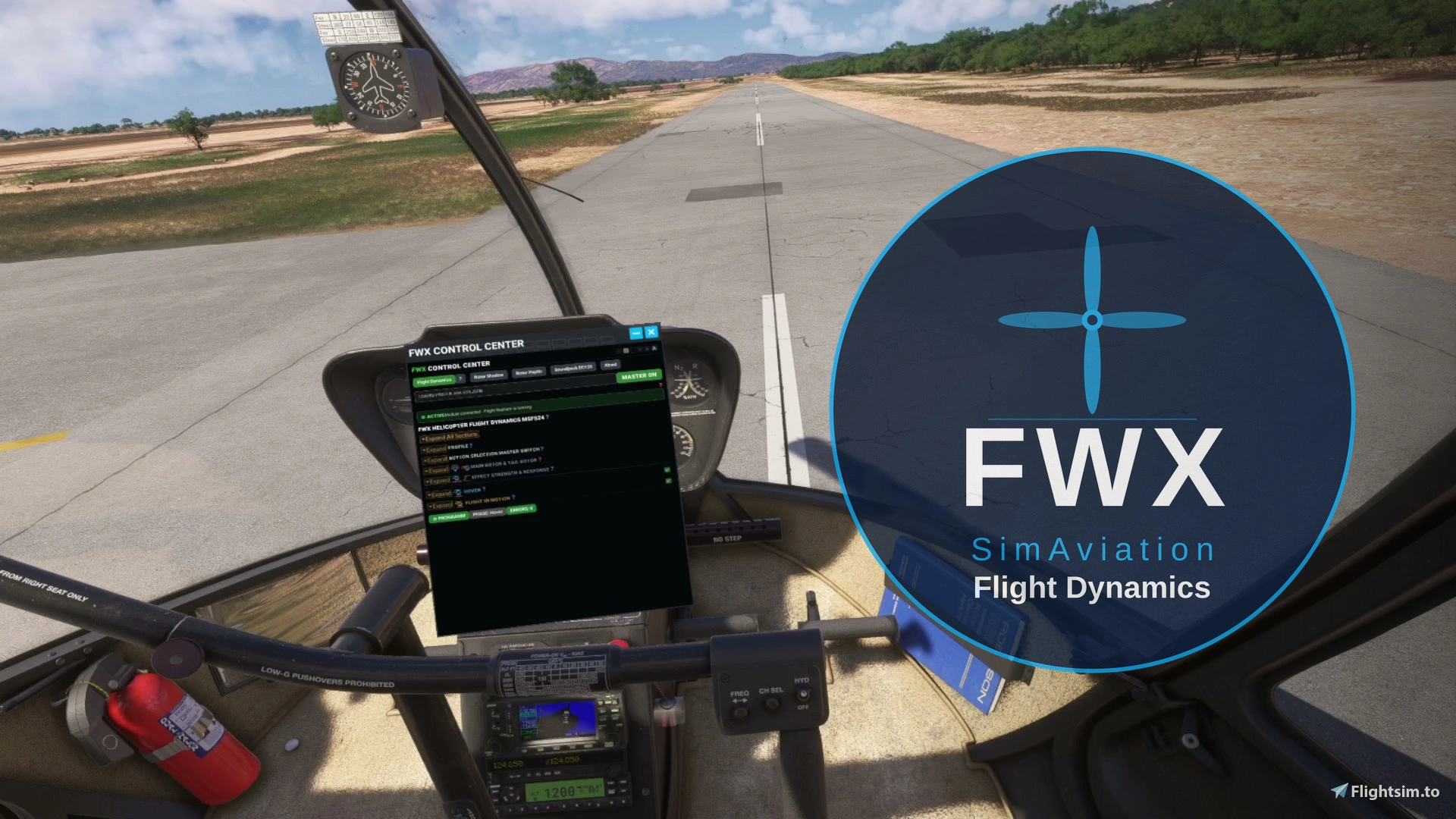
- You set everything in the toolbar inside the simulator, in VR as well as on screen
🔁 What is different from the stock simulator
Without this add-on the helicopter holds itself over the spot in the hover. With it, the helicopter drifts a little and you have to hold it there yourself.
The flight model is the same one in both cases. FWX Flight Dynamics adds movement on top of it, in the hover and in forward flight.
⚙️ What is this?
FWX Flight Dynamics does not replace a flight model, and it does not rewrite any flight model or aircraft files. The flight model of the simulator keeps running and keeps calculating as it was built to do, and the simulator carries out every movement itself. The add-on works on every helicopter in Microsoft Flight Simulator 2024.
🌬️ The hover becomes work again
Pitch, roll and climb follow the attitude the helicopter is really in, and your control inputs take effect straight away. You can set the hover and forward flight separately, switch each axis on or off, and move the strength anywhere between zero and full while you fly.
Nothing of this is precomputed. The movement is worked out while you fly, from the flight data of your helicopter and from the way you move the controls.
As far as we can see on the market, there is at the moment no other add-on for Microsoft Flight Simulator 2024 that makes the flight behaviour of helicopters this noticeable and this adjustable.
🎛️ Settings
- Factory profiles for nine helicopter types: Cabri, R66, EC135, H125, H225, Bell 407, UH-1H, CH-47D and S-64F
- Every other helicopter starts with a general base profile that you adjust yourself
- Your settings are stored for each helicopter, and you can bring back the tested factory values at any time
- The master switch turns the whole add-on on and off, also in the middle of a flight
- If you only want to hover, you can simply turn the strength down
📋 Helicopters without an FWX factory profile
We cannot test every model. Helicopters without a factory profile of their own therefore start with a deliberately low basic setting, because values that are too high can make an unknown model oscillate strongly. At first you will therefore feel very little. Raise the controls step by step, or load the profile of a helicopter you already like.
🛠️ You set everything inside the simulator
The control panel sits in the toolbar of the simulator, in the same place where you open every other panel. FWX Flight Dynamics has its own tab in the FWX Control Center, so one click brings all the settings into the cockpit while you fly. The master switch is at the top and the settings are below it, and you never have to leave the simulator.
- Every change takes effect at once, and you do not have to restart anything
🥽 It works in VR
FWX Flight Dynamics works in VR just as it does on screen, and you can reach the panel with the headset on. That way you can change a setting in flight without taking the headset off.
🧩 Works with your other add-ons
- Camera add-ons keep working as before. FWX Flight Dynamics only changes how the helicopter flies, not the camera
- It changes no aircraft files and no flight model files
- It runs alongside your own liveries and your other tools
- It needs Microsoft Flight Simulator 2024
⚠️ Note for motion platforms (motion rigs)
FWX Flight Dynamics changes how the helicopter moves in the simulator. Because of this, motion platforms may react strongly or abruptly. Use FWX Flight Dynamics with a motion platform only with great care, or switch it off with the “MASTER” switch.
⚠️ What it cannot do
❌ It works on helicopters only, not on airplanes.
📦 Installation and updates
- The installer takes you through the steps, you pick the folder and that is it
- The add-on starts and stops together with the simulator
- You uninstall it like any other program in the Windows settings
- Updates are free, and new features are part of them
💬 Support
If you have a question, write to support@fwx-simaviation.com and we will answer you.
User Reviews
No reviews yet. Be the first to share your experience!
FWX Helicopter Flight Dynamics MSFS24
FWX Helicopter Flight Dynamics MSFS24 modifies helicopter flight behavior in Microsoft Flight Simulator 2024 to add more realistic responsiveness and dynamic control, especially in hover and forward flight. It is compatible with all helicopters in the simulator and provides factory profiles for nine popular types, with customizable settings for others. Adjustments can be made in real time through an in-simulator toolbar, with settings stored per helicopter. The add-on does not alter camera views or aircraft files and works seamlessly in both VR and standard modes.

Instant digital delivery • Secure payment
Requirements
Additional Requirements
- Windows 11
- Microsoft Flight Simulator 2024 on PC (Steam or Microsoft Store)
- Helicopters only
- Not for MSFS 2020, Xbox or Mac
More by this publisher
Details
- Category
- Aircraft Enhancements
- Release Date
- Sep 6, 2026
- Last Updated
- Oct 24, 2026
- Compatibility
- MSFS2024