
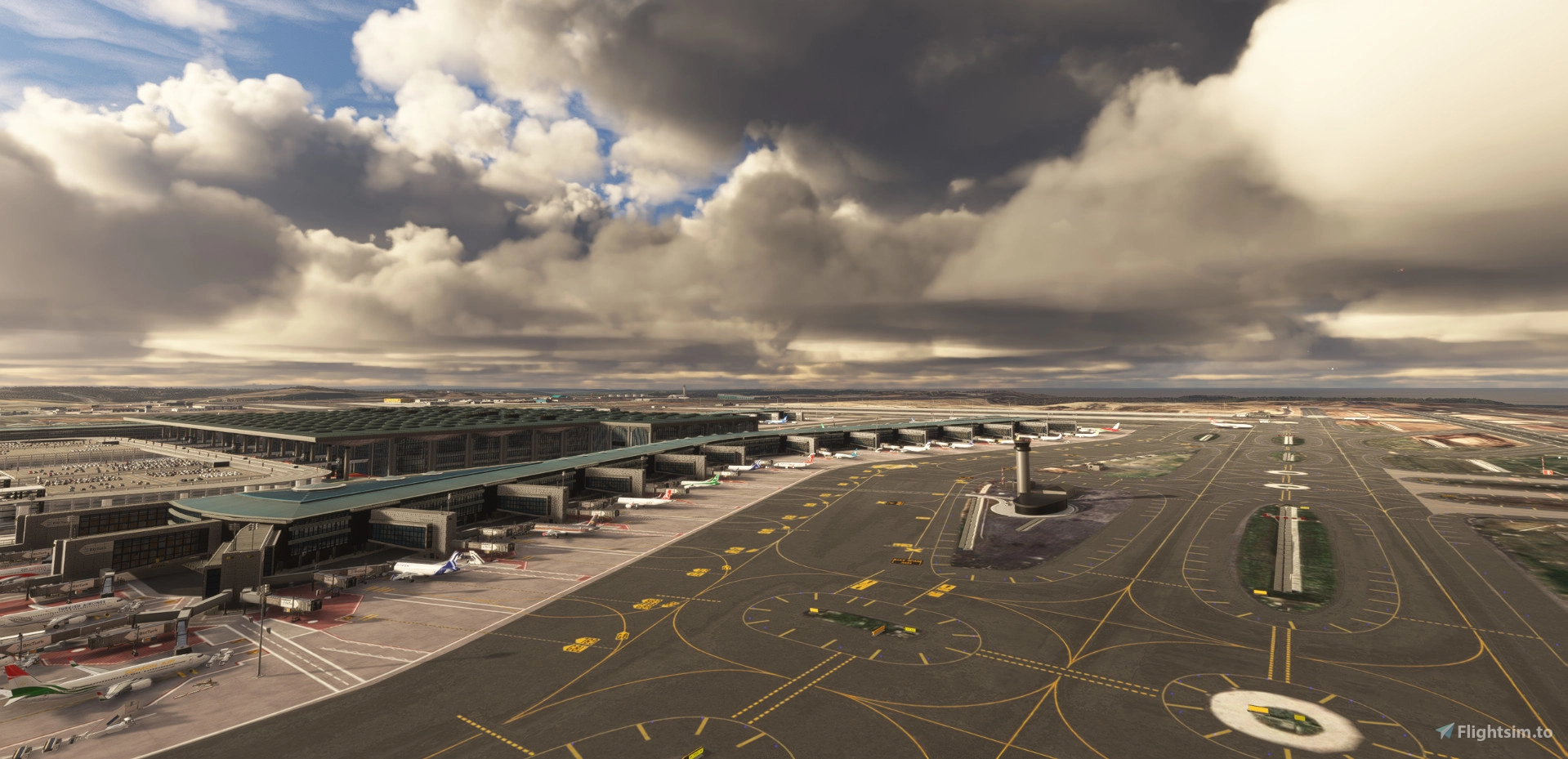
Description
Istanbul, 16/11/2024
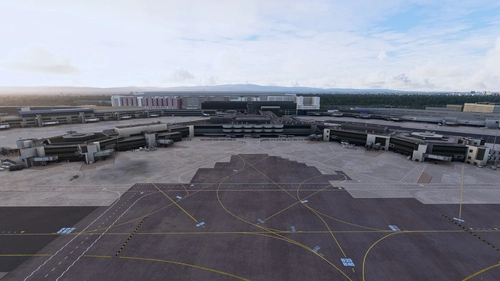
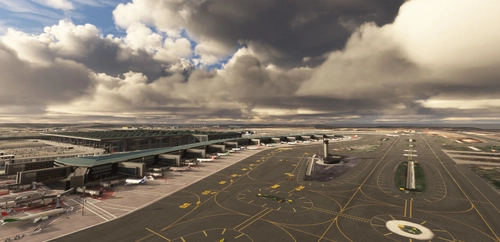
LTFM Scenery for MSFS 2020 v1.9.20
MSFS 2020 freeware scenery of LTFM Istanbul Airport updated to v1.9.50 (v2.0 to follow after Nov 2024) and
will be shared publicly in 2 web sites: Turkish Virtual Airlines (turkishvirtual.com) and flightsim.to as before.
I spent more than 2 years to bring it up to this level as per all available charts and imagery, YouTube
videos as well as my personal videos and pictures I recorded and took during several r/l flights from
Istanbul.
In this version all 3D TERMINAL models are replaced with new ones and all the credit goes to M. Ali Oguducu.
Also Kamil Uzun and M. Firtina Ozcinar deserves credits for other 3D models used in this project. Custom jetways
used in this project are also created by Kamil Uzun and M. Ali Oguducu. Special thanks to Emir Sert for his help
with the alteration of the texture file for the jetways and piers.
This update is mostly concentrated on changes to Terminal model placements using new files. Also ground markings
and elevations are updates and drainage channels are placed. All ground markings, taxi lines and taxiway lights
are same as in v1.9.20.
Please note that there is a CGL portion included in this version which covers the airport area and this is mostly
because the imagery in MSFS 2024 is slightly OFF at some locations which kills the immersion. After the release
of MSFS 2024, the project will be re-checked with SDK 2024 and all such areas will be corrected before removing
the underlying imagery in one of the forthcoming updates.
For GSX users a new GSX profile file is included in the zip folder and it should be copied to:
...\AppData\Roaming\Virtuali\GSX\MSFS folder.
WARNING:
***************************************************************************************************************
You will see most "multiplayer" aircraft hovering at @ 15 m AGL and those are mostly people who are using the
payware scenery or MAY BE freeware v1.01a. This elevation difference is something that only ASOBO can fix.
IF THIS IS GOING TO BOTHER YOU, PLEASE DO NOT COMPLAIN AND SOURCE THE PAYWARE ONE AS WITH IT, YOU WILL NOT
FACE THIS PROBLEM.
I have spent many hundreds of hours to create the slopes of each runway and their connected taxiways as
well as all aprons. I forgot how many times I started from point zero to bring it to its current level. The
gradient is about 1% from South towards North as in r/l. You can test this by setting the current QNH reading,
check the elevation from your PFD at your current position and taxi from one end to the other to observe the
changing elevation difference.
Installation:
***************************************************************************************************************
People who currently use the freeware version 1.01a or 1.9.20 (or the payware one) along with ANY one of the aerial
imagery which were shared separately should be completely removed from the Community folder and SceneryIndexes
folder located inside the LocalCache folder should be deleted as well before starting your simulator (which will be
re-created from scratch) to be on the safe side.
The separate imagery file (ZL18) will still be available for people who want to use v1.9.20.
--------------------------------------------------------------------------------------------
This package covers the dual motorway at south side of the airport. As it is 1.78 GB in size, I had decided to pull
it out of the scenery CGL and only shared enough imagery to cover the airport area within the main package (v1.9.20).
The link to the secondary imagery file is (argaeus-ltfmsouth-aerial.zip):
https://drive.google.com/file/d/1bLsVTUuylfl0UFL4W_ZxDoRDp1SZciSj/view?usp=drive_link
Some models from freeware UK2000scenery are also used so you should have the library installed to see them.
IMPORTANT:
This scenery is NOT to be used in ANY type of COMMERCIAL simulators and the only way for this to happen is to
obtain our written consent and making a minimum donation of €2000 (Euros Twothousand %00 or equivalent in local
currency) to :
LOSEV Leukemia Foundation for Children. https://www.losev.org.tr/v6/
For those who intend to use this scenery in their personal computers for their personal joy, it is free of charge
but they can also make ANY amount of donation they wish to make to LOSEV. Based on the information in the website,
all credit cards with 3D secure payment can be used.
We do not need money for a coffee or a pint of beer but the charity needs it to treat those kids.
Errors may appear and will be corrected going forward and the package will be updated after MSFS 2024 is released.
Up until this moment, this package worked fine in MSFS 2024 Dev Alpha version and will be converted fully to MSFS 2024
in the future.
Enjoy your flights to and from Istanbul Airport.
LTFM - Istanbul Airport 1.9.20
Experience a detailed rendition of Istanbul Airport with LTFM - Istanbul Airport 1.0.1a. This add-on provides more than 1000 ground markings and detailed imagery options for a realistic flying experience in MSFS 2020. Join the open beta version and look forward to upcoming updates focused on enhanced visuals and performance optimization. Explore Istanbul in a new light with this evolving project by Mali Oguducu and Hayri Buberci.


User Reviews
158 reviews
Version History
PLEASE READ THE DESCRIPTION FROM DOWNLOAD PAGE OR REFER TO ``LTFM v19 for MSFS2020`` file inside the package -Remodelled airport infrastructure -Remodelled ground textures and markings -Aerial imagery implemented and updated -Custom jetways with new billboards -Bug fixes -So much more
Featured in Collections(2)



Related
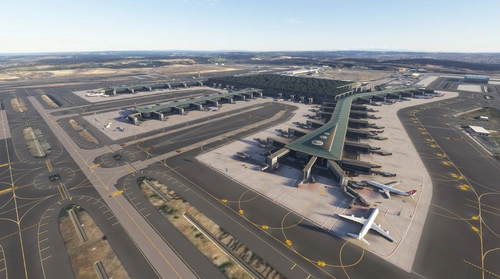
LTFM Istanbul Airport v2.0.40
This add-on provides a detailed freeware scenery of Istanbul Airport (LTFM) for Microsoft Flight Simulator 2020, updated to version 2.0.23. It features new 3D terminal models and enhancements to ground markings and elevations. The scenery is designed for personal use and includes installation instructions, while a separate imagery file is available for added immersion. Future updates are planned following the release of MSFS 2024.
by malioguducu

LTFM Istanbul - LIGHTS FIX
Enhance your airport lighting with the LTFM Istanbul Lights Fix mod, designed to provide the most accurate lighting environment based on recent media and data. This mod is optimized for the SceneryTR Design LTFM addon but can work with other versions as well, although results may vary. Explore other recommended addons and easily install this mod to elevate your flight simulation experience. Share your feedback and discover more mods in the Airports Lights Fix series.
by valexyo
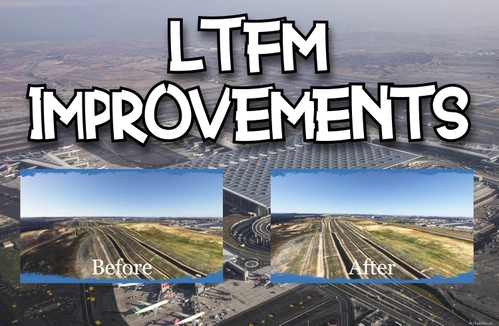
LTFM Airport Improvements
This add-on enhances the experience of flying into Istanbuls LTFM airport by improving the surrounding terrain. It addresses inaccuracies in the default scenery, particularly the representation of the Kuzey Marmara Otoyolu highway, providing more realistic elevations. Additional vegetation such as trees and bushes has also been added, contributing to a more natural look. Compatible with both SceneryTR and malioguducu LTFM versions, the addon aims to offer a more visually appealing environment.
by hktn42
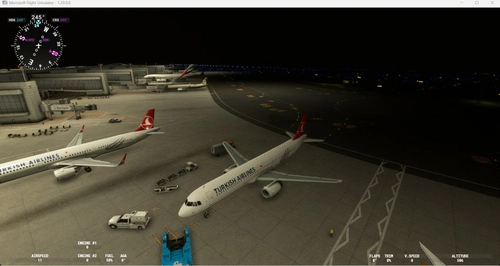
Modification for LTFM - Istanbul airport (by SceneryTR)
This add-on modifies LTFM Istanbul Airport by rearranging cargo areas and assigning airlines to specific parking spaces based on the airports destinations. It includes modifications to existing parking areas without altering any original scenery files. Installation is straightforward, requiring users to unzip the contents into the "Community" folder of MSFS2020.
by skatesoft
Log in to join the discussion
Log InComments(696)
over 5 years ago
Being one of the authors, I was also having the same problem immediately after the latest MSFS update and I could not load my LTFM scenery as well, which was working fine right before the update. After an extensive investigation, I decided to do a clean-up because no one had a real answer.
Here is a list of what I did after 2 days of agony, thanks to Asobo!
A) Disabled Rolling Cache from DATA SETTINGS and deleted the file,
B) Cleaned up my Community folder and moved everything to a backup folder,
C) Deleted the Content.xml file in LocalCache,
D) Deleted SceneryIndexes folder in LocalCache,
E) Started up the simulator with no 3rd party mods/add-ons except the official ones from the marketplace,
F) Closed it back after starting up at a default airport,
G) Brought back my add-ons/mods in groups of 10 until all I needed were in there again - deleted some though.
G) After finally copying the scenery folder of LTFM (without making any changes to the scenery files) back to the Community folder, I could start up without any problems. Then I re-created the scenery with the new SDK and started up without a problem again.
So, as a result, both this package that is being shared here and the one that I had re-built with the latest SDK worked fine and if your systems are not starting up at LTFM with "this" package, please check elsewhere or write to Asobo or wait for them to "add" this airport and a scenery for it to their simulator.
We will be sharing the latest package here soon for anyone who are willing to try.
about 1 month ago
7 months ago
4 months ago
8 months ago
8 months ago
9 months ago
9 months ago
9 months ago
11 months ago
11 months ago
12 months ago
about 1 year ago
about 1 year ago
over 1 year ago
over 1 year ago
over 1 year ago
over 1 year ago