
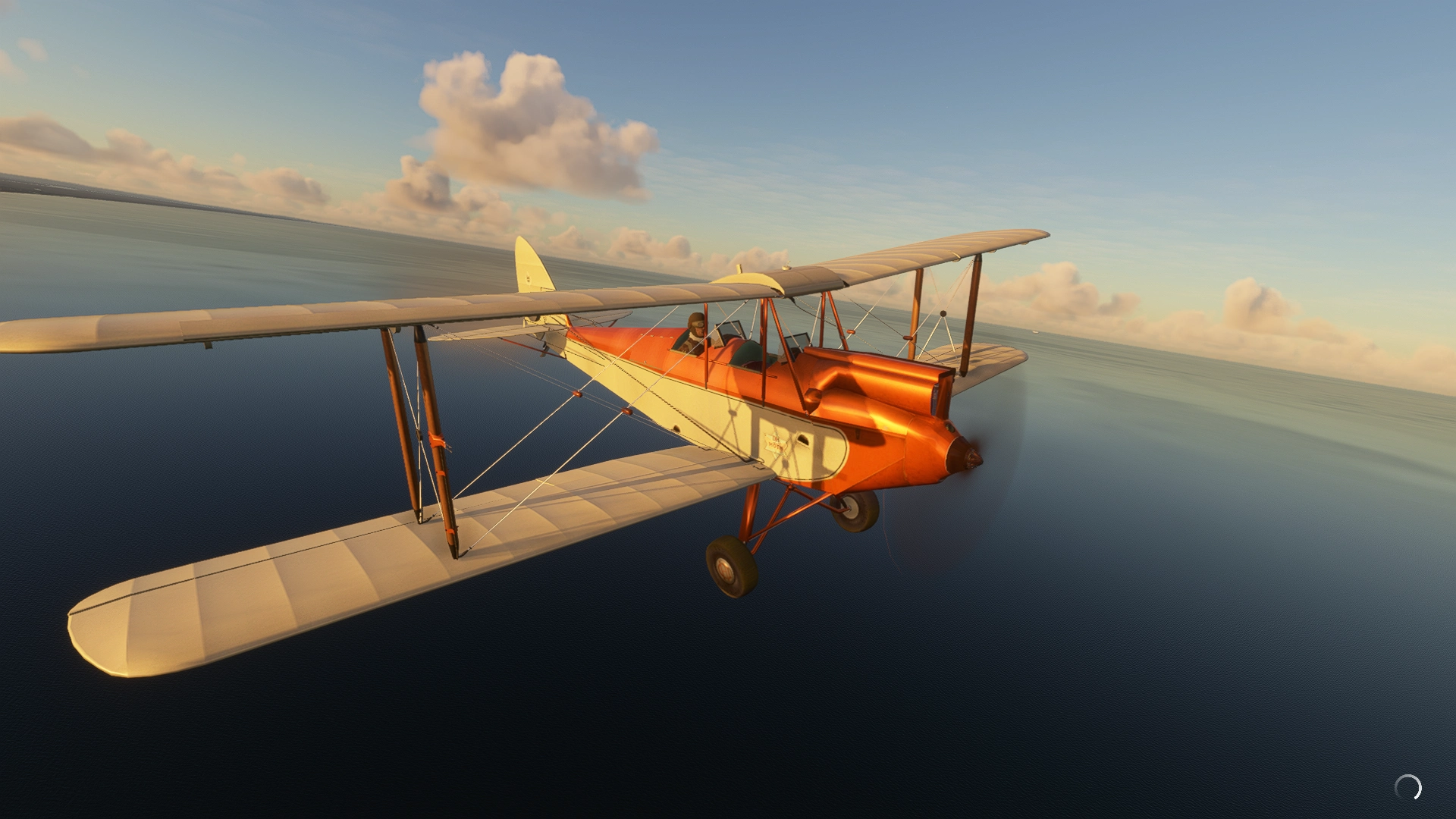
Description
Golden Age Simulations
DH-60G Gipsy Moth
DH-60X Cirrus Moth
for use with MSFS2020
VERSION 1.2a
Conversion from FSX to MSFS2020 by spud3030
***************************************************************************************
Original Model Design, Animation, and Textures:
Golden Age Simulations
https://goldenagesimulations.com/
***************************************************************************************
"Special Thanks to Paul Corish @ GAS for permission to convert original FSX model".
Credits: MSFS Legacy Importer by Alex Marko. https://msfs.touching.cloud/mods/msfs-legacy-importer/
Microsoft's rules: https://www.xbox.com/en-US/developers/rules
HOW TO INSTALL:
If you DO NOT have MSFS Legacy importer installed
-Extract the package to your MSFS Community Folder.
If you do have MSFS Legacy importer installed
- extract legacy-vcockpits-instruments folder to a seperate location and copy the contents of .FSX and html_ui to your existing legacy-vcockpits-instruments folder and run MSFSlayoutgenerator (just google it)
.Known Issues (V1.0)
Will roll back on start from runway- contact points not quite right??(hit the brakes)
No Altimeter - I don't know how to get this going
Flight model not accurate - It seems close and is fun to fly, appears to go ok on modern FM.
Brakes added - just edit them out of the config if you don't like them.
V1.1 Compass uncovered by clearing glass texture
If you want some more power use the config edit from PaulHolmes below in the comments
V1.2 Added legacy-vcockpits-instruments folder so the instruments are visible (hopefully)
V1.2a changed to zip for easier access
sorry fellas just my lack of knowledge about how it works....
Just a straight port over of this wonderfull FSX plane from Golden Age Simulations with some tweaks to make her fly in MSFS. I think it may be a while before we get a native Moth, so with permission from GAS, here they are.
Golden Age Simulations Moth package
Experience the DH-60G Gipsy Moth and DH-60X Cirrus Moth in Microsoft Flight Simulator 2020 with this Golden Age Simulations package. Converted from FSX by spud3030, enjoy the original model design, animation, and textures by Golden Age Simulations. Explore the vintage aircrafts and take to the skies in style with this nostalgic add-on.


User Reviews
13 reviews
Version History
Added legacy-vcockpits-instruments folder for instrument visibility... hopefully
Log in to join the discussion
Log InComments(49)
about 1 year ago
over 1 year ago
almost 4 years ago
Looks great though
Unfortunately the instrument displays do not work in SU11,
so it's useless...
over 4 years ago
update this forSU8 please
over 4 years ago
CTD after loading on runway
almost 5 years ago
CTD in update 6 guaranteed...............................
about 5 years ago
CTD after takeoff when i used active pause,up 'till then everything was ok...........
about 5 years ago
There is a relatively easy fix for our problem with the SU5 update and it does not only work with the Gipsy Moth, it works with most of the FSX planes that we have converted to MSFS. Here's what you have to do:
Fly in windowed modeBefore you go into VC mode, move your mouse all the way up to the top of your screen, so that it doesn't touch the actual MSFS field of viewMove into VC mode and you will see that nothing happens, you can move around freely (I use my joystick for this) and you do not crash (DO NOT TOUCH YOUR MOUSE!!)But you'll notice that none of the gauges work. There is a fix for this too!Go back to external view and reload the planeMove your mouse again to the top of your screen and go back into VC modeVoila, most, if not all of your gauges work againDon't touch your mouse and enjoy flying the Gipsy Moth (and any other such plane)Some planes are upgraded FS9 planes, so if those planes do not show their gauges even after reloading the plane, you have to forget about that particular plane.I have over the last couple of months converted over 120 former FSX planes to work in MSFS. With this method,+ I still can enjoy over 70 of them, all with working gauges. I know that there is a method with Model Converter X (MCX) to make those planes work too. Problem is, since my latest PC upgrade, MCX refuses to function on my system, that is why I use my planes this way. Occasionally I forget to move the mouse up and have a CTD, but that's ok :-)
about 5 years ago
on step 5 of your fixes description, what do you mean with "reload the plane"? Cause i don't really understand what i have to do there..., and what is VC mode? Thanks in advice
about 5 years ago
Its the cockpits generally causing CTDs. They need a rework to remove the problems. If you are lucky enough to get into the cockpit then just leave it and fly. The instant you move a mouse across it then CTD.
On another note: here's a wonderful De Havilland that could benefit from some cockpit TLC... flies really well to. https://www.youtube.com/watch?v=HTj6nuco-1I
about 5 years ago
instant simulator crash out
about 5 years ago
A great airplane grounded by the latest update. First the textures were missing, then the hot fix started causing the plane to crash to the desktop.
Are you considering restoring this beautiful plane to flying condition? Many thanks for the flights I got to make in the wonderful blue Cirrus Moth.
about 5 years ago
Since latest MSFS update, it causes an CTD when you start flying this plane.
about 5 years ago
Ditto..which is a shame, as I love it
about 5 years ago
same here
over 5 years ago
Really enjoyable low, slow VFR aircraft. Only reason I can't give it a five star is lack of Gauges working...but great job, with nice liveries too
over 5 years ago
Delightful aircraft, worth 5 stars when you get the instruments to reliably appear in their bezels. Unlike so many recent FSX conversions, your liveries are crisp and clear. Many thanks for your efforts.
over 5 years ago
Thanks sir,
thank Golden Age Simulations for their great plane though!
spud
over 5 years ago
But without a great conversion all of their hard work could have been wasted. I realized that I forgot to put the legacy gauges package into Community. So right after I confirm everything is working, I'll up my review to 5 stars. Just wish I could buy you a coffee.
over 5 years ago
tx very much