
About this addon
FROM THE SAME DEVELOPER OF THE POPULAR 737 ADDON, WITH A 4.5/5 ⭐ REVIEW SCORE, FERGO VIRTUAL CDU FOR THE PMDG 777-300ER, 777F, 777-200LR AND 777-200ER IS NOW AVAILABLE, WITH THE SAME PRAISED, EASY TO USE AND RESPONSIVE INTERFACE!
NEW (30/08/2025): ADDED SUPPORT FOR THE 777-200LR
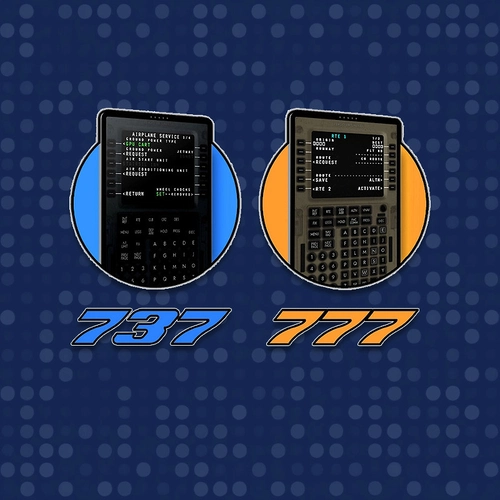
This is the page for the PMDG 777 CDU. If you are interested in the PMDG 737 version, please use the following link: https://flightsim.to/product/fergo-virtual-cdu
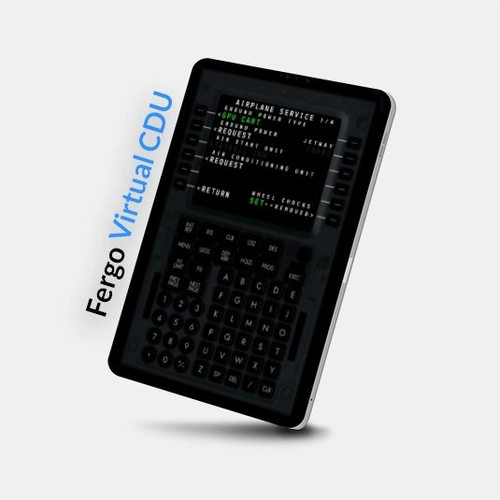
Fergo Virtual CDU is a virtual Control Display Unit for MSFS' PMDG 777 aircraft series. It allows you to remote control the plane's Flight Management Computer (FMC) externally with soft-buttons and a 1:1 representation of the display in real time. Accessible through your regular web-browser, you can use it in a second monitor or any other device connected to your home network, such as a phone or tablet.
Main Features:
Web based client
The CDU interface is a web app that uses your regular browser, such as Firefox, Chrome or Safari. That means you can use it in your computer, phone, tablet or any other device connected to your home network and capable of web browsing.
Easy to use
Simply launch the server, navigate to the CDU interface with your browser and you are good to go. The software automatically connects to the game and sets up the client-server communication.
Non-intrusive
Fergo Virtual CDU is a standalone and portable software that requires no installation. Simply extract the contents of the compressed archive into a folder of choice.
Automatic configuration
FCDU will automatically configure the PMDG settings for data broadcast and add the required firewall rules for the client.
Off-line activation
User experience shouldn't be affected by clumsy on-line DRM. Fergo Virtual CDU uses a simple and off-line activation system.
Customizable
As the client is web based, you can customize images, fonts and colors by simply editing the HTML and CSS files (some web development knowledge recommended).
Multiple CDU support
Swap between captain side, first officer or central side with a simple touch to the top of the CDU, where it says "Fergo Virtual CDU". It's also possible to use both sides at the same time if you have two devices connected.
Official website: https://fcdu.fergonez.net/
User manual: Included in the ZIP file
Reviews (currently from the 737 model, which works the same):
Tested on:
- Windows 10: Firefox, Chrome, Edge
- iPad Pro 11" - iPadOS v15.6: Safari, Chrome, Firefox
- iPad 7th gen - iPadOS v15.5: Safari, Chrome, Firefox
- iPhone 13 - iPadOS v15.15: Safari, Chrome, Firefox
- Samsung Galaxy A31 - Android 11: Chrome
Important notice:
- Fergo Virtual CDU will automatically add the rules to Windows Firewall for the server to work properly. However, if you use third-party firewall software, you'll need to manually allow FergoCDU.exe and ports 8080 and 8081 (or custom ports, if you changed from the default values).
- When updating Fergo Virtual CDU, please always do a fresh install (entirely delete the contents of the old folder and extract the newly downloded archive).
Changelog
- Added support for PMDG 777-200LR
Added support for MSFS2024
Added support for PMDG 777-200ER
- Added support for PMDG 777F - Added a screen only display for use in physical CDU replicas. To use this screen only option, access "cdu_screen_only.html" page, for example "http://192.168.1.100:8080/cdu/cdu_screen_only.html" - The screen only version fills the whole web page and is responsive to the screen size
- Fixed issue with the screen appearing on the upper left corner
User Reviews

tommymahoney
VerifiedOct 17, 2025
is it ok it works great but the Types illuminated not the green Light this looks a lot dark
CSMilli
VerifiedAug 31, 2025
Works great. Got it running on an old tablet which i have by my side as I fly. Got it set up and running in no time. Only problem I had was that the EXEC button wasn't lighting up. After some time trying to figure out why not I decided to try a different web browser. Voila, it lit up as it should do. I should have read the requirements more closely as the problem was my Opera browser. Chrome works fine. Will no doubt buy the virtual 737 cdu when pmdg release the 2024 737 version.
ramsis4th
VerifiedAug 11, 2025
I love this product. Will it work with 777-200 ? I didn't try yet
6shop
VerifiedJul 20, 2025
Super easy setup and works perfect on my tablet/smartphone. Thanks alot for this program.
elgrone
VerifiedJul 16, 2025
Very easy steps to purchase, install and use. I use my Ipad now for the CDU and is way better.
spaceshanty
VerifiedJan 21, 2025
Great Product, worth the buy. Software very easy to use.

blbla
VerifiedJul 17, 2024
OK the 777 cdu work but the 737 is now 777 cdu with 737 overlay?! what i do wrong?

You can fix this by forcing a page refresh. You can usually do this by pressing CTRL+F5 if you're using the browser on your PC or manually clicking the "Refresh" button on your device's browser (such as phone or tablet). If that doesn't work, you can try to clear the cache from its settings. I pushed an update last week that is supposed to fix this issue. Are you using the most recent version?
yes new version hmm

Gearsnob
VerifiedJul 7, 2024
Superb worth the buy

bearhsiao
VerifiedJul 3, 2024
It is very practical to use this virtual CDU software for flying.

Taka4240
VerifiedJul 2, 2024
The fonts are slightly different from those in the game but it's not a big problem. However, the area to be input in the game is represented as □□□□, but this software displays it as..., which affects visibility.
Hi! This problems happens more commonly on devices with non-latin alphabets. I'm working on a fix for this issue, which should be available in the next release ;)
sdaztec25
VerifiedJul 2, 2024
Great Product... Glad they made the 777 FCU so quickly. I have been using the 737 FCU since day 1.
justling
VerifiedJul 1, 2024
Thank you for bringing us this fantastic addon. I didn't know there was also a 737 version. I wonder if I can get a discount for the 737 after I have bought this 777 version first.
Thanks! I though the discounted price for the 737 was already in. I'll ask the FSTO staff to get this going ;)

PeBr
VerifiedJul 1, 2024
Great, good job great helper. Continue further. It would also be good for a flight tablet.
tamatea2010
VerifiedJun 30, 2024
Works well. If you use it on a smart phone, it might appear to be too small for some users. Should be better to use this app on a a bigger screen like on an ipad

CaptJingles
VerifiedJun 29, 2024
Haven't done an actual flight with it yet, but I went through the initial CDU config (set POS, Route, Dep/App, etc) and it all worked flawlessly! So can you make one for the Fenix A320? :)
Fenix already have one built in on V2 that you can use on an ipad / iphone
Fergo Virtual CDU - PMDG 777
Take control of your PMDG 777-300ER with Fergo Virtual CDU, a virtual Control Display Unit accessible via web browser. Enjoy easy setup and non-intrusive operation for a seamless flight experience. Customize your interface and switch between multiple CDU layouts effortlessly.
Instant digital delivery • Secure payment
If you have purchased Fergo Virtual CDU - PMDG 737 on Flightsim.to before, you are eligible for a discounted price on this product. Please note that the special upgrade price is only valid for the account used to purchase the mentioned product. If in doubt, contact Flightsim.to before making your purchase. Refunds will not be provided for user error.
Requirements
Additional Requirements
- Microsoft Flight Simulator 2020 or 2024
- PMDG 777-300ER, 777F, 777-200R, 777-200LR
- Modern web browser: Firefox 102, Chrome 103 and Edge 103
- Minimum iOS version: iOS 12
- Minimum Android version: Android 9
- .NET Framework 4.6.1 (included by default from Windows 10 version 1511)
- Can be downloaded here: https://dotnet.microsoft.com/en-us/download/dotnet-framework/net461
More by this publisher
Details
- Category
- Utilities
- Release Date
- Jun 26, 2024
- Last Updated
- Aug 31, 2025
- Reviews
- 15
- Compatibility
- MSFS2020/24