About this addon
Measured, not promised.
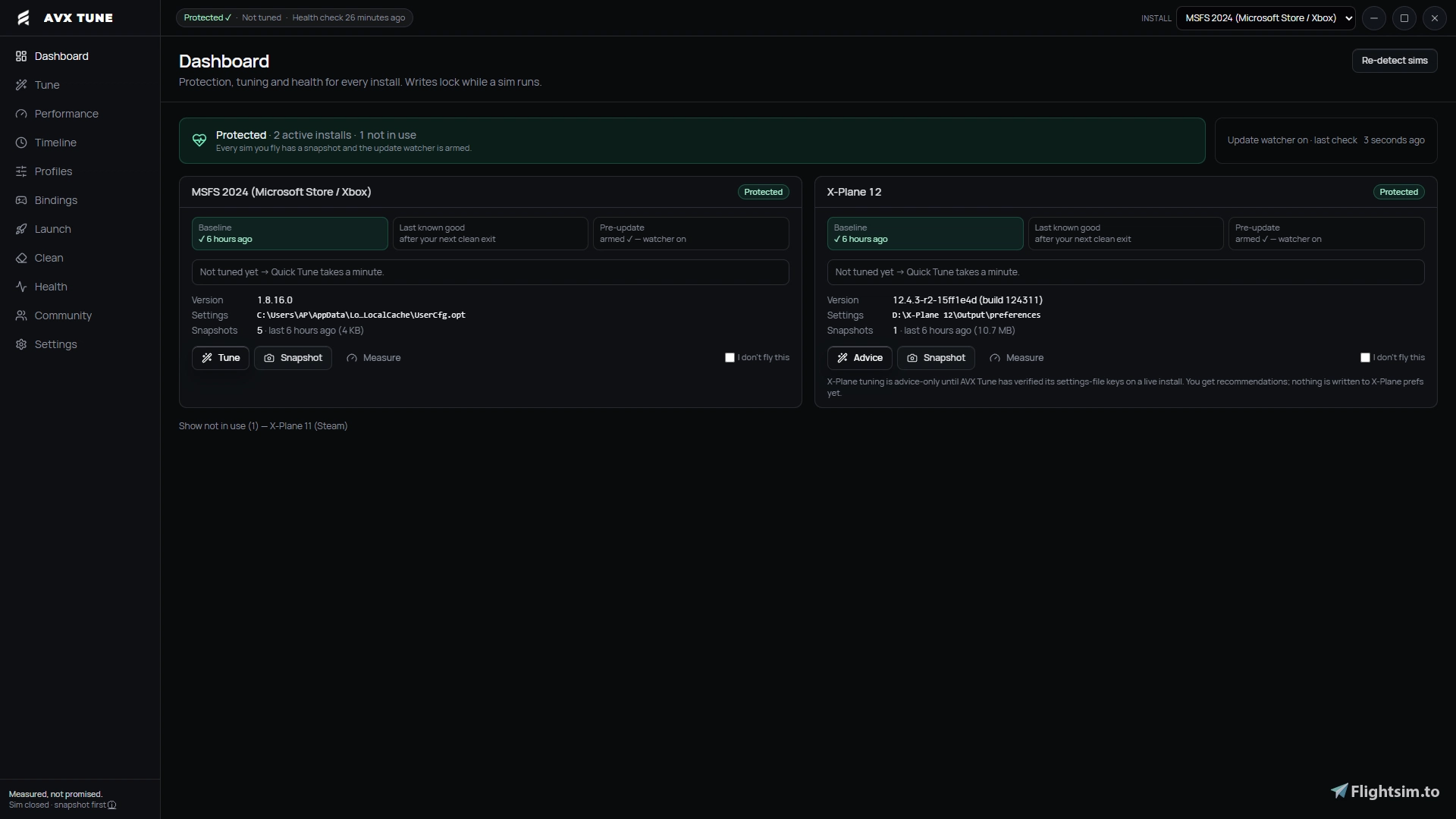
AVX Tune backs up your Microsoft Flight Simulator settings, measures what a change actually does on your PC, and tells you honestly whether it helped. If it didn't, one click puts everything back.
Protect
- Snapshots your UserCfg.opt and control bindings before anything changes
- One-click restore, with a safety snapshot taken before every restore
- Sim Update watcher: spots when an update resets your settings and shows a key-by-key "what changed" list so you can put them back
Measure
- A/B testing with Intel PresentMon 2.6 (included): fly the same short circuit before and after one change
- Compares 1% lows, average FPS and time spent above 33 ms
- Gives a clear verdict: Keep, Roll back or Inconclusive, judged against your own PC's noise floor
Tune, Health and Clean
- Hardware-tier presets and settings editor (beta), which only writes menu values observed in real settings files
- Read-only health checks: free space, GPU and VRAM, page file, HAGS, Memory Integrity
- Conservative cache cleaner with an allow-list and confirmation
- Redacted support report you choose whether to send
What it doesn't do
- No FPS promises. A "no improvement" result means the tool did its job.
- Never touches sim memory, injects code or installs drivers
- Only writes files while the sim is closed, after a snapshot
- Works alongside AutoFPS, AeroTune and Lossless Scaling
Pairs with AVX Sorter: Sorter organises your add-ons, Tune measures your settings. Sorter can hand its flight loadout straight to Tune.
One-time purchase, lifetime updates, 2 PCs per licence.
User Reviews
No reviews yet. Be the first to share your experience!
AVX Tune: Settings Backup & Performance Testing for MSFS
AVX Tune allows users to backup and restore Microsoft Flight Simulator settings, providing snapshots and a one-click restore function. It offers A/B performance testing by measuring changes in frame rates and system performance after applying modifications. The tool includes hardware health checks, cache cleanup features, and detailed update tracking. Settings changes are always measured and reversible, with an emphasis on transparency and system safety.

Instant digital delivery • Secure payment
Requirements
Additional Requirements
- Windows 10 or 11 (64-bit)
- Microsoft Flight Simulator 2024 (Microsoft Store: fully verified; Steam: beta) or MSFS 2020 (beta)
- Intel PresentMon 2.6 (included)
- Internet connection for licence activation and updates; works offline for 14 days after each check
- One licence covers 2 PCs
More by this publisher

Details
- Category
- Utilities
- Release Date
- Sep 26, 2026
- Last Updated
- Oct 9, 2026
- Compatibility
- MSFS2020/24