Redeeming your Reward Points for Coupons
We value our loyal customers. Learn how to redeem reward points for discounts on future purchases.
Redeem Your Reward Points
Click on your username in the top right to see your Reward Points balance. Click on 👉 Rewards to open the Rewards redemption page.
Start the Checkout Process
Have a coupon code? You can easily apply it during the checkout process to receive a discount on your purchase. Add the product you want to purchase to your cart. Click on the “Buy” or “View Cart” button to open the checkout popup.
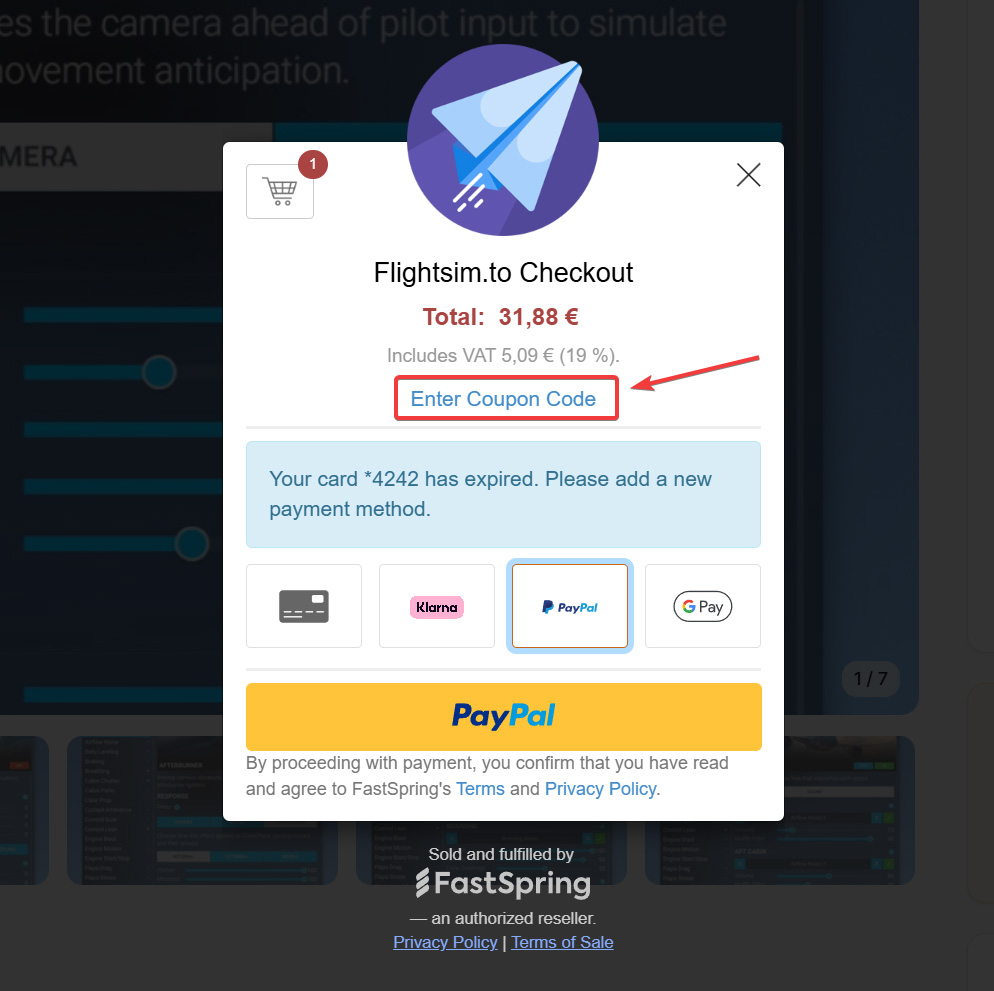
Click “Enter Coupon Code”
In the checkout popup, look for the “Enter Coupon Code” option. Click it to open the coupon input field.

Enter Your Code
Type or paste your coupon code into the field. Do not forget to click on “Apply” to activate it. Once applied successfully, the pricing will automatically update to reflect your discount. You’ll see the discounted total in the checkout summary.
Complete Your Purchase
After applying the coupon, simply proceed with the payment to finalize your order.
📝 Additional Notes
-
Coupon codes are case-sensitive, so make sure to enter them exactly as provided.
-
If the code is invalid or expired, an error message will appear.
-
Some coupons are limited to specific products or time periods.
- Discounts cannot be stacked. You can only apply one coupon or discount per product.